Hullara Apparel
A complete apparel storefront that loads like a landing page.
Founder price. $199 is the list price — Hullara is new, with no reviews and no public install count yet, and the lower price is for buying before those exist rather than a sale that ends.
Buy lifetimeSubscribe $19/monthMonthly is a rental: if it lapses, your storefront shows a licence notice until you renew. A lifetime licence never does.
30 days
Try it on your own store before you commit
- Upload the zip as an unpublished theme. Your live storefront does not change.
- Preview it with your own products, your own copy, on your own phone.
- Publish only once you have decided. If it is not right, email us within 30 days and we refund you in full.
- Instant download after payment
- Updates that keep your customisations — currently v0.2.4
- Use it on up to 3 stores you own
- 20 kinds of app built in — no subscription for any of them
- 27.9 KB of CSS and JavaScript on every page, gzipped — the build fails at 16 KB for the stylesheet alone
- No licence server between your shop and your customers: every failure means fully licensed
- axe at WCAG 2.1 AA, zero serious violations, and the whole purchase path works from the keyboard
Hullara Apparel is a full Shopify storefront: collection pages with faceted filtering, a product page built from blocks you can rearrange, predictive search, a cart drawer, blog and account pages. It is written from scratch rather than forked, and the browser only downloads the components a page actually renders — so a collection page does not pay for the cart drawer, and no page pays for a feature you never switched on.
See it moving
What Hullara Apparel Pro adds over this edition
Read from the theme's own build manifests — 14 sections and blocks that are in a Pro download and in no Core one. This is what is in the zip, not what a page once said was.
All 14, as they render
Age gatesection Bundle dealsection Cart upsellsection Comparison slidersection Comparison tablesection Content tabssection Countdown barsection Promo popupsection Shoppable imagesection Product complementaryblock Product countdownblock Product discount codeblock Product quantity breaksblock Product tabsblock
Promotions that end when you said they would
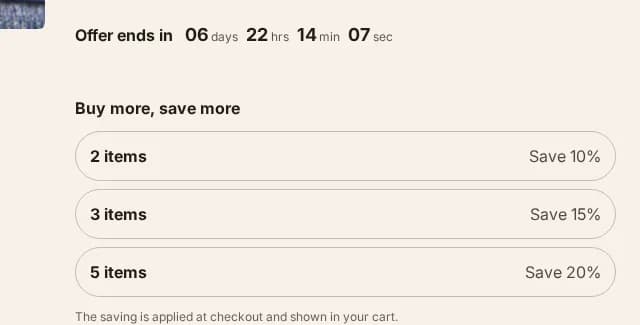
- Countdown barsection
A site-wide band counting down to a date you set. When the deadline passes it renders nothing at all, rather than surviving as an empty coloured stripe.
- Product countdownblock
The same deadline on the product page, from the same snippet — so an expired offer disappears in both places or neither.
- Product discount codeblock
A code the shopper applies in one tap, instead of remembering it as far as the checkout.
- Promo popupsection
Email capture on a delay you set, rather than the moment the page loads.
More in the order, without an app
- Bundle dealsection
Buy-the-set offers assembled from products you already sell.
- Cart upsellsection
One relevant add-on in the cart, as theme code rather than a third-party script.
- Product quantity breaksblock
A volume ladder that sets the real quantity input and leaves the money to the cart — it prints no per-tier price, because only Shopify knows which discounts a given customer actually gets.
- Product complementaryblock
“Pairs well with” on the product page, from Shopify's own recommendations or a metafield you curate.
Helping a shopper decide
- Comparison tablesection
A table putting your products side by side on the attributes that decide the sale.
- Comparison slidersection
A before-and-after slider, for a result two photographs can prove.
- Product tabsblock
The description split into tabs instead of one wall of text.
- Content tabssection
The same tabs for any content section, not only the product page.

Merchandising, and one thing the law asks for
- Shoppable imagesection
A lookbook image with buyable hotspots placed on it.
- Age gatesection
An age check in front of the storefront, for a catalogue that is required to have one.
Hullara Apparel Pro is $100 more, once. Nothing in this edition is missing from it — Pro is these files added, not features switched on.
What makes it different
Nothing loads that the page does not use
Every interactive part of the theme is its own component, fetched the first time it is about to come into view. There is no single script carrying thirty widgets to a page that renders two.
Our outage is never yours
The theme asks our licence service one question, once, after your page has finished painting, and remembers the answer for three days. It never delays a render. Every failure — our servers down, a timeout, a bad signature — means fully licensed, and a lifetime licence never lapses.
It refuses to fake urgency
Ratings render only from real review data, the stock meter only when Shopify is genuinely tracking that variant, and delivery estimates are a range of business days rather than a date invented from the visitor's own clock. Fabricated scarcity is illegal in the UK and the EU, and it is not a setting here.
Every feature, in detail
The product page
Built from blocks in the theme editor, in whatever order you want them. Every block that depends on the selected variant re-renders together, in one request, without a page load.
Variant switching that keeps the page
Picking a size or a colour swaps the gallery, the price, the SKU, the stock state and the buy button in place. Shopify renders the new state server-side, so what the customer sees is what the cart will charge for — not a price assembled in JavaScript.
- One request per change, however many blocks depend on it
- The URL updates, so a variant can be linked and shared
- Works with a keyboard alone, with visible focus throughout
One buy path, wherever the button is
The sticky add-to-cart bar and any custom field you add sit outside the product form and attach to it by id. There is only ever one variant input and one submit path in the document, so a sticky bar cannot add the variant somebody was looking at three clicks ago.
- Add to cart without leaving the page
- Cart drawer, or a full cart page — both are real
- Quantity rules and inventory limits respected on both
Blocks that render nothing rather than something invented
Trust badges, size charts, delivery estimates, stock meters and ratings are all blocks. Each of them renders empty when the data behind it is not there, which is the correct state — and the one most themes fill with a number the merchant typed in.
Browsing and finding
The parts of an apparel store that decide whether a visitor ever reaches a product page.
Faceted filtering that survives the Back button
Filters and sorting update the grid without a full page load, and still write real history entries — so Back goes back one filter rather than out of the store.
- Filter and sort controls are standard form controls
- Works with JavaScript switched off, as a plain form
Predictive search
Results as you type, from Shopify's own suggestion endpoint. No app, no third-party script, and nothing leaves the store.
Content sections for the pages that are not products
Rich text, multirow, image banners, testimonials, logo lists, an icon bar, a ticker, collapsible content and video — enough to build an about page or a landing page without reaching for a page builder.
The parts nobody markets
Operable without a mouse, and without motion
The whole purchase path works from the keyboard with a visible focus ring at every step. Animations are decoration: a visitor whose system asks for reduced motion gets no motion at all, not less of it.
Content is visible before JavaScript runs
Reveal animations start hidden, which means a failed script would otherwise mean a blank page. The from-state is gated on JavaScript having loaded, so no script means no animation and all the content.
Theme settings that actually reach the page
Colours, type, spacing, radius and shadows are declared once and compiled into both the editor's settings panel and the stylesheet, so a setting cannot exist in one and be missing from the other.
34Sections included
List every one
- Announcement bar
- Apps
- Cart drawer
- Collapsible content
- Collection list
- Consent banner
- Contact form
- Custom liquid
- Featured collection
- Featured product
- Footer
- Header
- Icon bar
- Image banner
- Logo list
- Main 404
- Main article
- Main blog
- Main cart
- Main collection
- Main list collections
- Main page
- Main password
- Main product
- Main search
- Multirow
- Newsletter
- Product recommendations
- Quick view
- Rich text
- Scroll to top
- Testimonials
- Ticker
- Video
45Blocks included
List every one
- Announcement
- Button
- Cart body
- Cart footer
- Column
- Container
- Divider
- Footer menu
- Footer newsletter
- Footer payment
- Footer social
- Footer text
- Group
- Header drawer
- Header drawer body
- Header drawer foot
- Header drawer head
- Heading
- Icon
- Image
- Product badge
- Product buy buttons
- Product custom field
- Product delivery estimate
- Product description
- Product gallery
- Product inventory
- Product payment icons
- Product pickup
- Product price
- Product quantity
- Product rating
- Product selling plan
- Product size chart
- Product sku
- Product sticky atc
- Product stock meter
- Product title
- Product trust badges
- Product variant picker
- Slide
- Slider
- Spacer
- Text
- Video
Languages: en, de, es, fr, it
Release history
v0.2.4
- Four sections offer a second starting shape: Collapsible content as an FAQ, Testimonials as a single quote, Collection list as two large categories, and Featured collection as an editorial row.
- Visibility, colour scheme, animation and padding now explain themselves where you set them — 146 controls that had a label and nothing else.
- Settings that cannot apply are hidden rather than shown: a shadow's offsets until it has an opacity, a border's opacity until it has a thickness, and every animation control while animations are switched off.
v0.2.3
- Fifteen content sections can now be aligned — left, centred or right — and each has a separate setting for phones, which the theme had none of before.
- The cart drawer dims the page behind it instead of blanking it.
- Icon rows keep their text beside their icon, and a tab panel keeps its copy readable, whatever the section around them is set to.
- Vietnamese, Spanish and Portuguese: twenty-two strings that were still English, and one that stopped mid-sentence.
v0.2.2
- Buy buttons in a collection row now line up, whatever the product titles do to the card heights.
- Typing in search no longer draws a second magnifier on top of the first, outside the field.
- The cart’s “Order note” says it opens, instead of looking like a heading with nothing behind it.
- A sold-out card ends properly rather than in a line of bare grey text.
- The sticky buy bar stops painting over the last 72px of every page.
v0.2.1
- The homepage and product page you publish no longer carry example claims as if they were yours.
- Gone: a dispatch cutoff, a returns window, three fabric certifications, a price comparison, and three customer quotes from people who do not exist.
- A fresh install no longer points at images and collections that only exist on our demo store, so the first thing you see is your own shop rather than a broken one.
v0.2.0
- First public release.
- Faceted collection filtering, predictive search, cart drawer and a block-built product page.
- Ships in English, with every visible string translatable from the Shopify editor.
4 earlier releases
v0.2.3
- Fifteen content sections can now be aligned — left, centred or right — and each has a separate setting for phones, which the theme had none of before.
- The cart drawer dims the page behind it instead of blanking it.
- Icon rows keep their text beside their icon, and a tab panel keeps its copy readable, whatever the section around them is set to.
- Vietnamese, Spanish and Portuguese: twenty-two strings that were still English, and one that stopped mid-sentence.
v0.2.2
- Buy buttons in a collection row now line up, whatever the product titles do to the card heights.
- Typing in search no longer draws a second magnifier on top of the first, outside the field.
- The cart’s “Order note” says it opens, instead of looking like a heading with nothing behind it.
- A sold-out card ends properly rather than in a line of bare grey text.
- The sticky buy bar stops painting over the last 72px of every page.
v0.2.1
- The homepage and product page you publish no longer carry example claims as if they were yours.
- Gone: a dispatch cutoff, a returns window, three fabric certifications, a price comparison, and three customer quotes from people who do not exist.
- A fresh install no longer points at images and collections that only exist on our demo store, so the first thing you see is your own shop rather than a broken one.
v0.2.0
- First public release.
- Faceted collection filtering, predictive search, cart drawer and a block-built product page.
- Ships in English, with every visible string translatable from the Shopify editor.
Questions
What is the difference between Core and Pro?
Pro is this theme plus 14 extra sections and blocks, listed by name further up this page. It is not a version with the good parts switched off — the Core download simply does not contain the Pro files, and everything on this page is in it.
Do I need any apps?
Not for anything on this page. Filtering, search, the cart drawer and every product block are part of the theme and run on Shopify's own endpoints.
What happens if I stop paying?
A lifetime licence keeps working forever. A monthly licence is a rental: when the period you have paid for ends, the licence lapses, downloads stop and your storefront shows a licence notice until you renew. A failed card does not do that — fourteen days of grace come first. Buy the lifetime licence if you want the theme to be yours whatever happens later.
What languages does the theme ship in?
Five, in the zip: English, French, German, Spanish and Italian. Their structure is checked by the build rather than by eye — a translation that drops a plural form or loses an interpolated value is a build error, not a warning, so none can ship structurally broken. What they have not had is a native speaker's read for register and idiom, and we say so on the evidence page. Every piece of visible text is a translatable string rather than hard-coded markup, so Shopify's own translation tools handle anything beyond the five.