Shopify already has a place for the words
When a shopper types an engraving, the text has to land somewhere the shop will
read it: on the order, in front of whoever does the engraving. Shopify has had
that place for years. A line item property is a name and a value attached to
one line of the cart — Engraving: For M. 2026 — and it travels with that line
to checkout and into the order without anything else in between.
So the part a theme has to do is small and specific: a field on the product page that posts a property with the product. That is this block. There is no app behind it and no database of its own, because Shopify's order already is one.
On the product page
The block is a field you place in the product details, wherever the argument of the page wants it — above the price, under the size picker, beside the button. It belongs to the product form wherever it sits, so the words arrive in the same add to cart as the variant and the quantity.
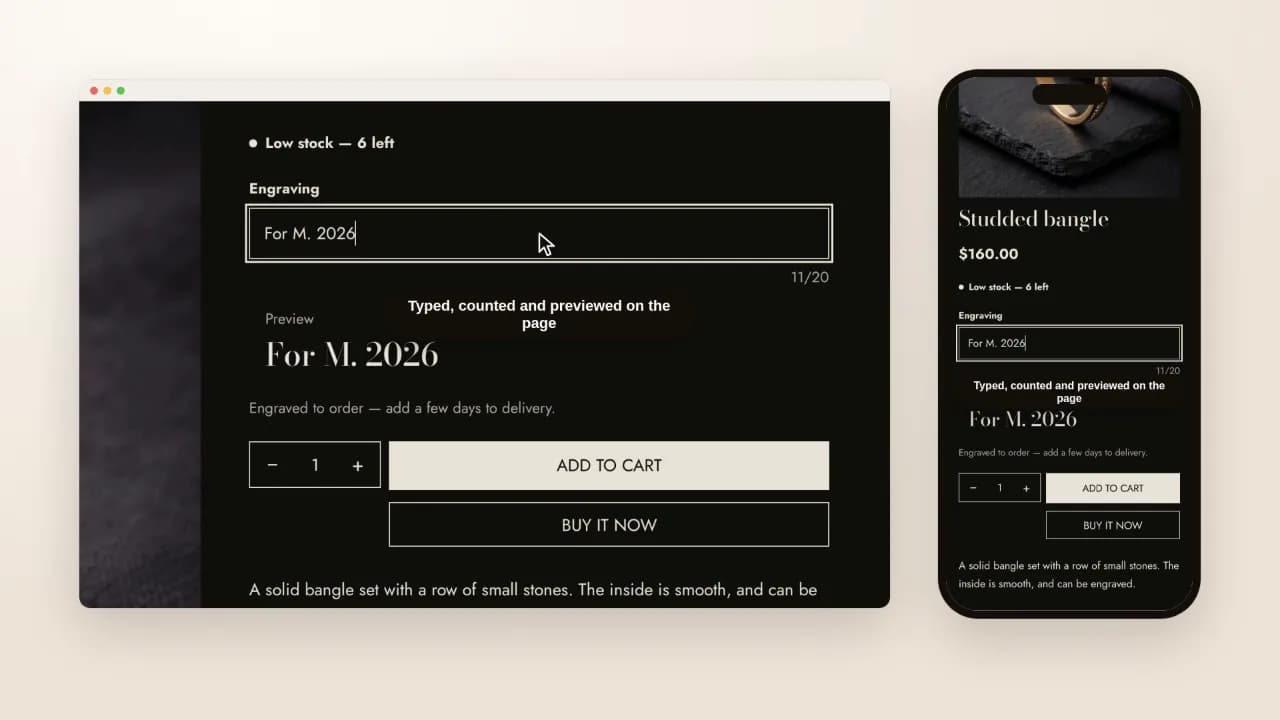
You set, in the theme editor:
- The label the shopper reads and the order shows: Engraving, Monogram, Gift note.
- The kind of field: a line of text, a longer note, a date, or a single checkbox.
- A limit, up to 250 characters, counted as the shopper types.
- A preview, which shows the text as it is typed in your heading, body or accent font.
- Required or not. A required field stops the add to cart until it is filled, with the browser's own message in the shopper's own language.
Add the block more than once for more than one field — an engraving and a gift note are two blocks, and two lines under the product in the order.
Where the words go after the button
Under the product on its cart line, at checkout, and in the order you fulfil. Two of the same piece with different engravings are two lines, which is how a cart already works and how a workshop wants to read it.
The field never hides what was typed. Shopify hides a property whose name starts with an underscore — apps use that for their own bookkeeping — and this block never writes one: a shopper who cannot see their engraving before paying cannot catch the typo in it either.
What still needs an app
Three things, and it is better to know them before you choose:
- An engraving fee. A line item property never changes the price. Give the product an option with its own price, such as an "Engraved" variant, or sell engraving as a small product added beside it.
- An uploaded file, such as a logo or a photo to print.
- A live mockup that draws the shopper's text onto a picture of the product.
Personalisation apps on the Shopify App Store do these, from about $10 a month for their paid plans (read on their listings, 20 October 2026). If you need one of the three, that is money well spent. If you need words on an order, you do not.
Which themes have it
Every Hullara theme has the field, in Core and in Pro. Hullara Editorial — made for jewellery, watches and leather goods — also ships a product template with it already in place: an engraving of up to twenty characters, previewed in the heading font, with a note that engraved pieces take a few days longer. Assign that template to the pieces you engrave and leave it off the rest.