Shopify themes built to convert paid traffic
Quick view, comparison tables, bundle offers and a cart drawer that actually sells. Buy once or subscribe — you install it yourself and keep every update.
30-day refund policy · Updates that keep your customisations · Works on any Shopify plan
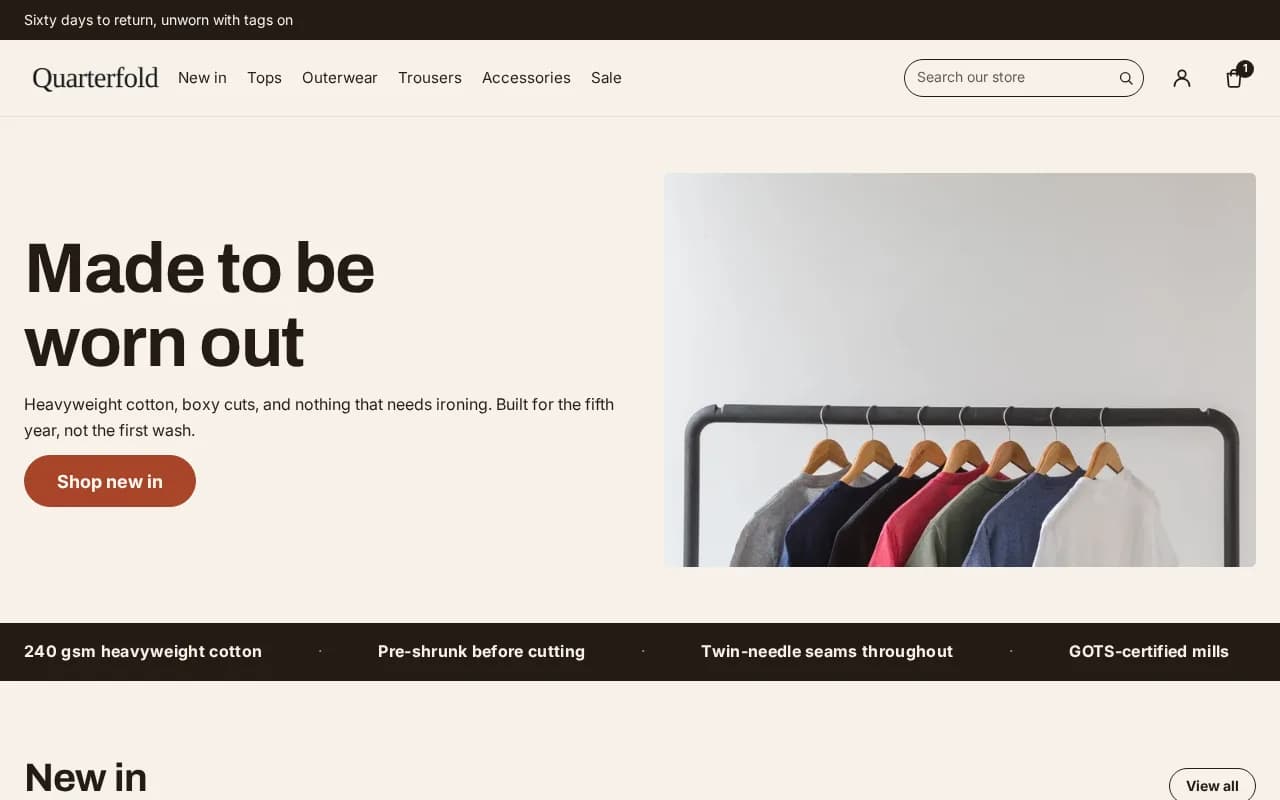
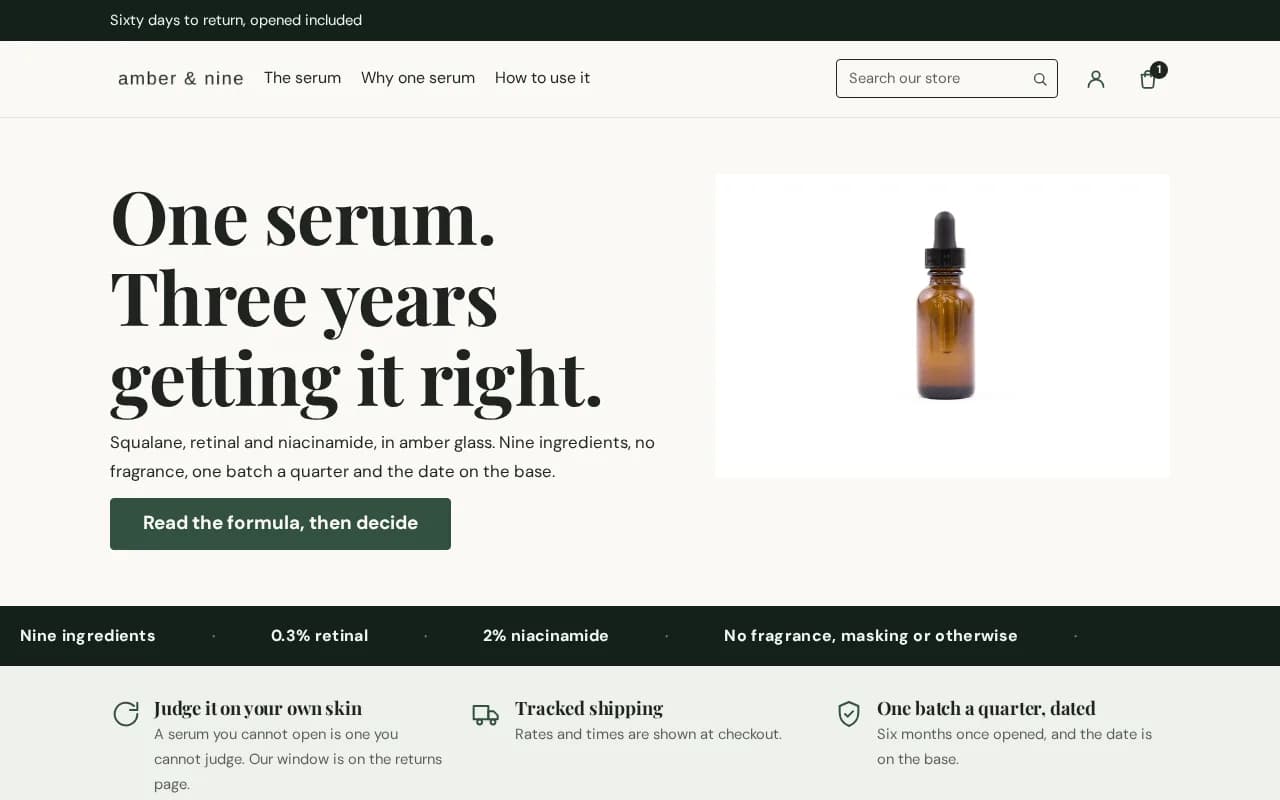
A recording of a real storefront running this theme — not a live store.
- Quick view
- Comparison tables
- Before / after sliders
- Bundle offers
- Cart drawer upsells
- Countdown timers
- Free-shipping progress
- Sticky add to cart
- Colour swatches
- Shoppable lookbook
What you are actually buying
- apps needed for the conversion stack
- 0apps needed for the conversion stack
- KB of CSS and JavaScript on every page, gzipped
- 28 KBKB of CSS and JavaScript on every page, gzipped
- minutes from download to live
- 10 minminutes from download to live
- days to change your mind
- 30days to change your mind
| Hullara | 27.9 KB | 2 files |
|---|---|---|
| A commercial theme | 114.7 KB | 6 files |
Two files, on every page. Shopify's Dawn requests 11 and the commercial theme this replaces requests 6 — one of them a 481 KB render-blocking stylesheet. Ours has a ceiling that fails the build, with 622 bytes left under it.
Every figure here was measured on a real store, and the method is written down. See how each one was taken
Try it
Stop reading. Start clicking.
These are working replicas of the section patterns our themes ship with. Drag them, open them, change the quantity — the mechanics are the same ones your customers will meet.
Before and afterPro
A stock product page against the same page with the conversion sections switched on. Drag the handle, or focus it and use the arrow keys.

Cart drawer
Free-shipping progress and a one-tap upsell. No app, no monthly fee.
Cart drawer is in both editions; the in-cart upsell is Pro
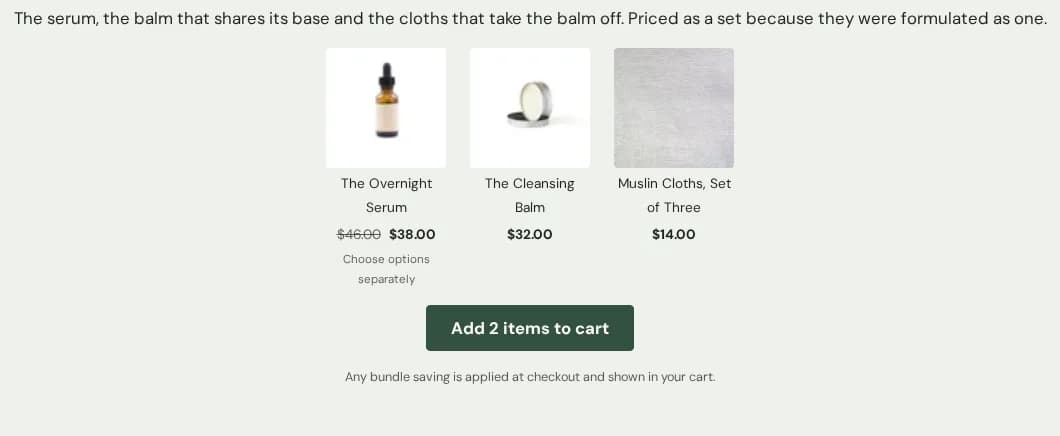
Bundle ladderPro
Volume tiers in the merchant's own words. The theme states no saving of its own — Shopify applies the discount and the cart shows it.
Interactive replicas of the section patterns, not a live storefront.
The catalogue
Themes
Each one is a complete storefront, not a starting point. Install it and you have finished pages on day one.
Why these themes
The conversion stack is in the theme
Most themes hand you a layout and leave the selling to apps. These ship with the selling built in.
Built for direct response
Quick view from the grid, bundles, quantity tiers, comparison tables, before/after sliders and a shoppable lookbook — the merchandising a paid-traffic store actually needs, not a catalogue of generic blocks.
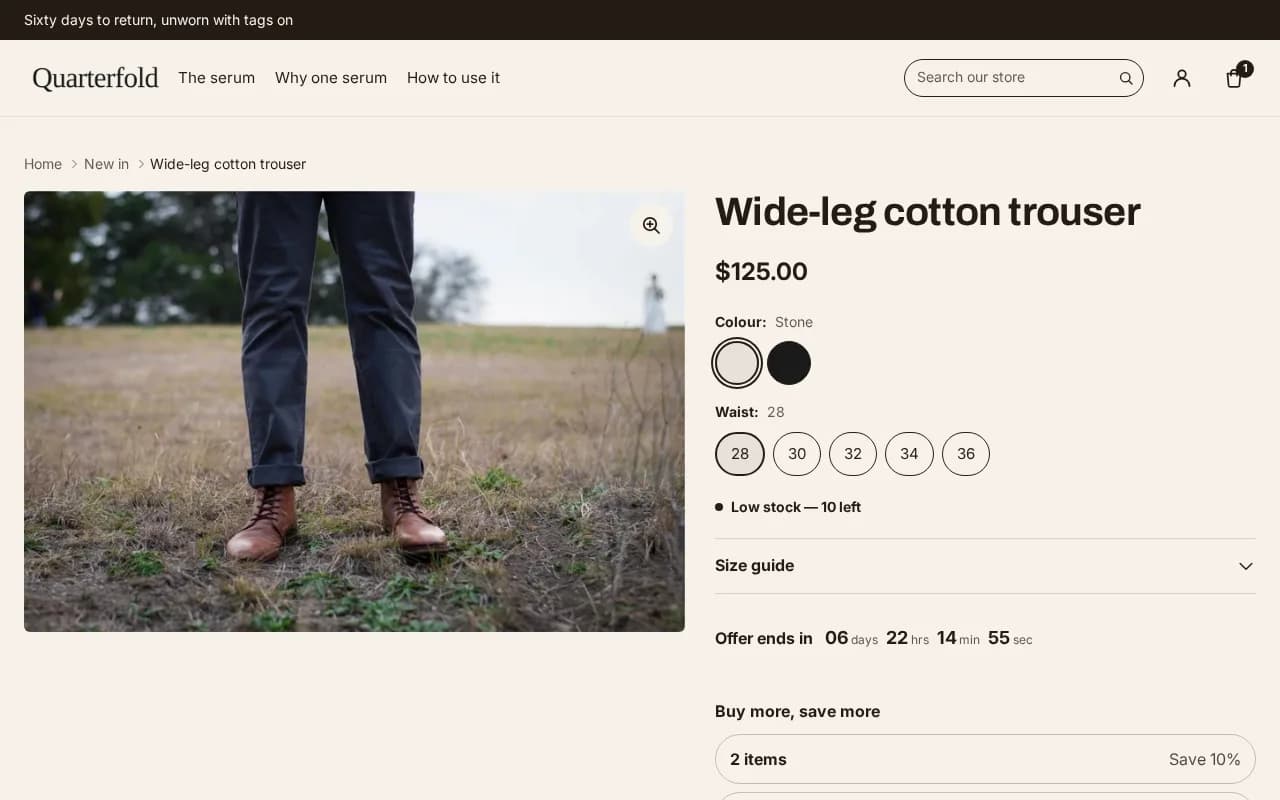
20 kinds of app, and no app to install
Cart drawer, free-shipping bar, quick view and a sticky buy button are in every edition. Bundles, cart upsells, quantity breaks and a countdown to a deadline you set are what Pro adds. 20 categories in total, each one a section in the zip rather than a subscription.
Work out what those apps cost youUpdates that keep your customisations
Every theme sold outside the Theme Store hands you a zip and a reinstall, and the reinstall costs you the settings, templates and edits you spent a weekend on. Yours comes back as an unpublished theme with all of it still in place — checked byte for byte against Shopify's API on a real store, not promised.
How an update is put togetherIt will not invent a number for you
No countdown that restarts for every visitor, no stock level nobody set, no star rating typed into a theme setting. The code to fabricate those was never written. Under the UK DMCC 2024 and the EU Omnibus directive it is the merchant who gets fined, not the theme's author — which is why this is a promise worth reading before you buy any theme.
Why there is no fake countdown hereHow it works
Live in under ten minutes
You buy from us and install it yourself. No agency, no developer, no waiting.
- 01
Buy
Checkout takes a minute. Card, PayPal, or local methods.
- 02
Download
Your licence key unlocks the theme zip immediately.
- 03
Upload
Shopify admin → Themes → Add theme → Upload zip file.
- 04
Customise
Everything is editable in the theme editor. No code needed.
Never uploaded a theme before? Read the ten-minute installation guide
Pricing
Two ways to buy
Subscribe while you need updates and support, or pay once and keep it forever. Same theme, same features.
What every page downloads
| Core | 27.9 KB | every page, gzipped |
|---|---|---|
| Pro | 27.9 KB | every page, gzipped |
What you can build with
| Core | 79 | 34 sections · 45 blocks |
|---|---|---|
| Pro | 93 | 43 sections · 50 blocks |
Monthly
Lowest entry cost. Updates and support while you are subscribed. Cancel any time — you keep the theme until the period you have paid for ends, and after that your storefront shows a licence notice until you renew.
Lifetime
One payment. Updates forever, no renewal. Pays for itself against the monthly plan inside a year.
Ready when you are
Install it as a draft. Publish only if you like it.
Your live storefront does not change until you decide it should — and if it is not right, you have thirty days to say so.
30 days
Try it on your own store before you commit
- Upload the zip as an unpublished theme. Your live storefront does not change.
- Preview it with your own products, your own copy, on your own phone.
- Publish only once you have decided. If it is not right, email us within 30 days and we refund you in full.
Do you refund?
Yes, within 30 days. Digital goods are hard to un-sell, so we would rather refund an unhappy buyer than argue. Email us and it is done.
Is anything in Core disabled or watermarked?
No. The Core download simply does not contain the Pro files — there is no flag to flip and nothing that degrades. A file that is not in the zip cannot be unlocked. The licence check asks whether your licence is current, not which edition you bought: it cannot turn a Core section into a Pro one, and it cannot take a file out of a zip you already have.
Can I install one licence on more than one store?
Yes — up to three. That is meant as your live store, a staging copy, and one spare for the migration everybody does at least once, rather than three unrelated shops. If you build for clients, each client store needs its own licence; ask us about agency pricing.
What happens to my store if I cancel the monthly plan?
A lifetime licence keeps working, forever, whatever we do. A monthly licence is a rental: when the period you have paid for ends, the licence lapses and your storefront shows a licence notice until it is renewed. A failed card does not do that — you get fourteen days of grace first. If you want the theme to be yours whatever happens later, buy the lifetime licence.