Neither Dawn nor Horizon has one
Unlike a size chart or a sticky add-to-cart bar, this is not something Shopify's free themes can be switched into doing — we read both for one. It takes one small snippet and one line in the cart, and no JavaScript of its own: both themes already re-draw the cart from the server every time it changes, and the snippet is re-drawn with it.
The snippet
Create a new snippet in the code editor (Online Store › Themes › … › Edit code › Snippets ›
Add a new snippet), call it free-shipping-bar, and paste this. Change 5000 to your own
threshold, in cents of your store's currency.
{%- comment -%}
  snippets/free-shipping-bar.liquid — progress toward free shipping, in the cart.

  Set the threshold in your store's currency, in cents: 5000 is 50.00. Use the
  same figure as the free-shipping rate in Settings › Shipping and delivery —
  Liquid cannot read your shipping rates, so this number is the only thing the
  theme knows about them.
{%- endcomment -%}
{%- liquid
  assign threshold = 5000

  # Liquid has no exchange rate, so a threshold in your currency cannot be
  # compared with a cart priced in another one. Show nothing rather than a
  # wrong number.
  if cart.currency.iso_code != shop.currency or cart.item_count == 0
    assign threshold = 0
  endif
-%}

{%- if threshold > 0 -%}
  {%- liquid
    # cart.total_price is the total after the discounts the cart already has.
    assign remaining = threshold | minus: cart.total_price
    assign percent = cart.total_price | times: 100 | divided_by: threshold | at_most: 100
  -%}
  <div class="free-shipping-bar">
    <p class="free-shipping-bar__message" role="status">
      {%- if remaining > 0 -%}
        Spend {{ remaining | money }} more for free shipping.
      {%- else -%}
        Your order qualifies for free shipping.
      {%- endif -%}
    </p>
    <div class="free-shipping-bar__track" aria-hidden="true">
      <div class="free-shipping-bar__fill" style="width: {{ percent }}%"></div>
    </div>
  </div>

  <style>
    .free-shipping-bar {
      margin: 0 0 1rem;
    }
    .free-shipping-bar__message {
      margin: 0 0 0.5rem;
    }
    .free-shipping-bar__track {
      height: 0.375rem;
      border-radius: 999px;
      background: color-mix(in srgb, currentColor 15%, transparent);
      overflow: hidden;
    }
    .free-shipping-bar__fill {
      height: 100%;
      background: currentColor;
      transition: width 0.3s ease;
    }
    @media (prefers-reduced-motion: reduce) {
      .free-shipping-bar__fill {
        transition: none;
      }
    }
  </style>
{%- endif -%}
Where the line goes
Add {% render 'free-shipping-bar' %} where the theme re-draws the cart:
- Dawn, cart drawer — in
snippets/cart-drawer.liquid, on the line before<cart-drawer-items. The drawer is only used when Theme settings › Cart › Type is Drawer; Dawn's default, Popup notification, shows no totals, so there is nowhere for the bar to go. - Dawn, cart page — in
sections/main-cart-footer.liquid, as the first line inside<div class="js-contents" …>. - Horizon, drawer and cart page at once — in
snippets/cart-summary.liquid, on the line before<div class="cart-totals">. Horizon renders that snippet in both places.
These are edits to theme files, so check them after updating the theme: Shopify carries code edits into an update only when they do not conflict with it.
What we checked
Dawn 16.0.0, , on a Shopify development store selling in one currency (USD)
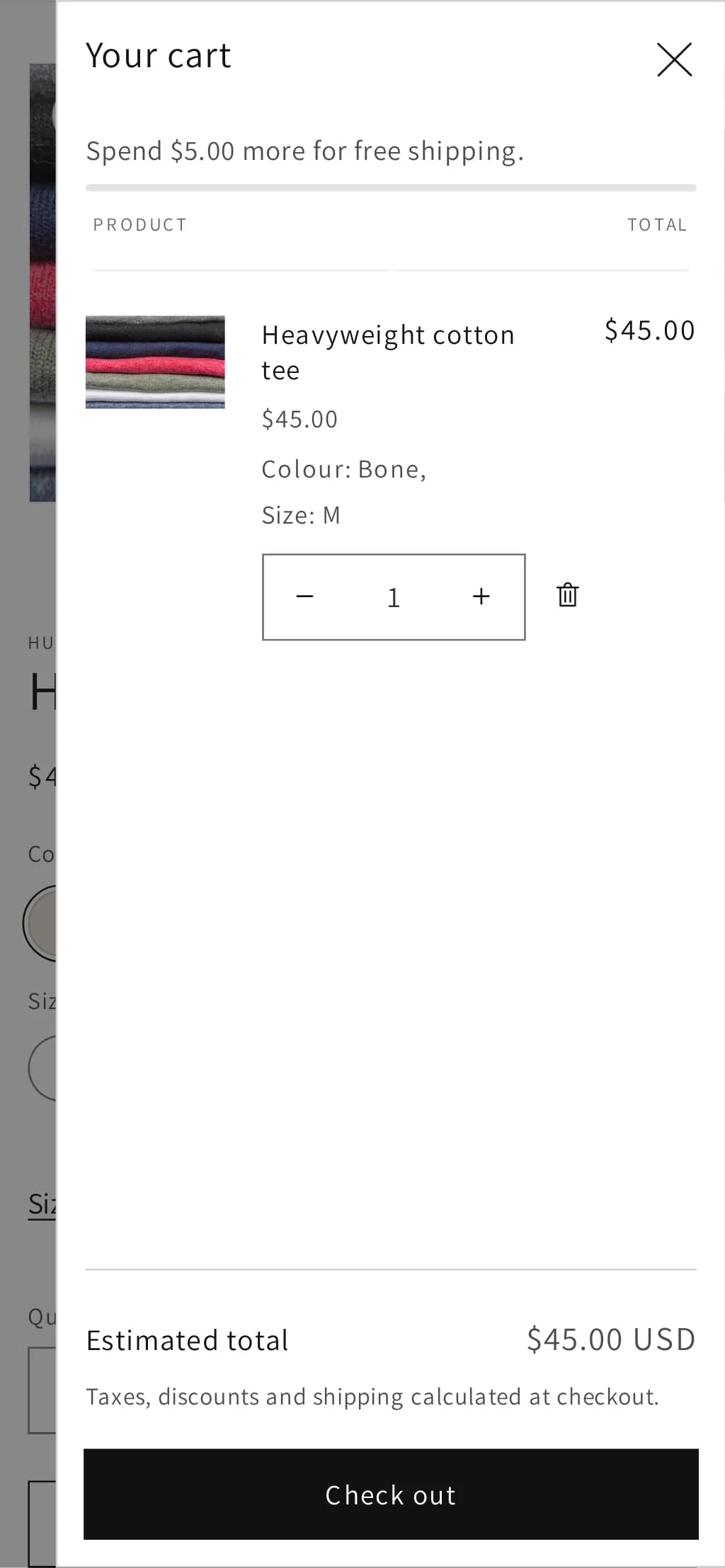
- cart page shows the amount left, then the qualifying message after the theme's own quantity button, with no reload (390 px)
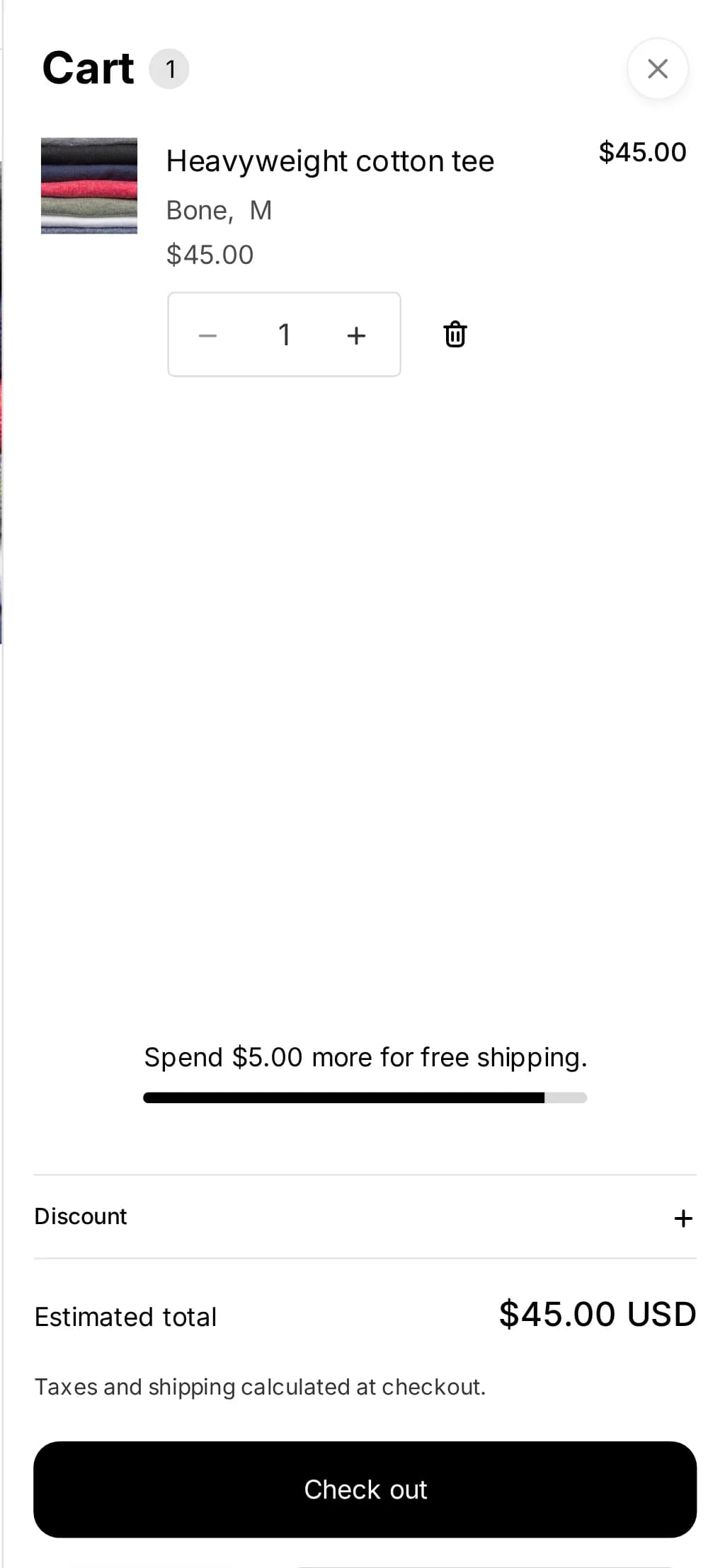
- cart drawer shows the bar for the first item added from the product page (390 px)
- nothing rendered for an empty cart (390 px)
Horizon 4.1.4, , on a Shopify development store selling in one currency (USD)
- cart page shows the amount left, then the qualifying message after the theme's own quantity button, with no reload (390 px)
- nothing rendered for an empty cart (390 px)
- cart drawer shows the bar for the first item added from the product page (390 px)
Three limits no theme can get around
It cannot read your shipping rates. Liquid has no access to them, so the threshold is a number you type — set it to the same amount as your free-shipping rate in Settings › Shipping and delivery, and change both together.
It cannot convert currencies. The threshold is in your store's currency; a customer shopping in another one has a cart total in theirs, and Liquid has no exchange rate. The snippet shows nothing in any other currency rather than a wrong amount. Our test store sells in one currency, so that branch is the one part of the snippet we could not run; it is a single comparison, shown in full above.
A discount code can undo it. The bar measures the cart after the discounts the cart already has. A code typed at checkout comes later, and Shopify works out price-based shipping rates on the discounted order — so a code can take an order back under the threshold after the bar said it qualified. Shopify has described that order of operations as standard, in answer to merchants asking for the opposite:
An app is worth paying for here when you need what Liquid cannot see: a threshold per market in each market's currency, different thresholds per shipping zone, or a bar driven by the actual rate rather than a typed number (what your apps cost).
Built into Hullara
Hullara's cart drawer and cart page both have a Free shipping over setting in both editions, typed as a plain amount in your store's currency — 50 means 50.00 — with your own wording for the "spend this much more" and "you've qualified" messages. At 0, the default, nothing is shown, so a fresh install makes no shipping promise you did not make. Like the snippet above, the bar shows only to customers paying in your store's own currency.
Two things we changed in 0.2.5 after testing our own theme the way this page tests Dawn and Horizon. Earlier versions took the threshold in cents, so typing 50 meant fifty cents and a bar that said every cart qualified. And they compared the threshold with the cart total in whatever currency the customer was shopping in: on a development store with euro and yen markets, a $500 threshold told a shopper paying in yen to "Spend ¥500 more for free shipping" — about three dollars — and one paying in euros to spend €500,00. In 0.2.5 the same store shows the bar in dollars and nothing in either of the others. A store that set the threshold in cents keeps it — the old setting stays, and only shows if it holds a value. Every other job the theme does without an app is on the features page.
The Core build of the apparel theme loads 28.0 KB of CSS and JavaScript per page, gzipped (how that is measured; what each edition costs).
See Hullara Apparel Core