Why this comparison is lopsided in Dawn's favour to begin with
Dawn is free, it is made by Shopify, and it updates from a button in your admin with nobody else involved. Any paid theme starts this comparison behind, and a page that pretended otherwise would be lying to you in the first paragraph.
So here is the honest frame. Dawn is the correct choice for most stores, and it stays correct for longer than theme vendors like to admit. What follows is the specific, narrow point where it stops being correct, what it costs to leave, and what you give up by buying a theme sold outside the Shopify Theme Store — which is less than it was, and not nothing.
The point where Dawn stops being enough
It is not aesthetics. Dawn can be made to look like almost anything with a palette, a typeface and good photography, and if your objection to it is that it looks plain, buy photography instead of a theme. You will get more for the money.
The point is merchandising — the things a product page does to sell more than one item at a time. Dawn ships the essentials: a featured collection, a featured product, rich text, a video, testimonials. What it does not ship is the layer above that:
- Quick view from a collection card, so a shopper can add a size from the grid without a page load and without losing their place in the list.
- Bundles, where two or three products are added in one press.
- Quantity breaks — buy three, pay less — rendered on the product page with the tiers the merchant actually set.
- A cart upsell in the drawer, and a comparison table or slider for stores whose customers are choosing between variants rather than browsing.
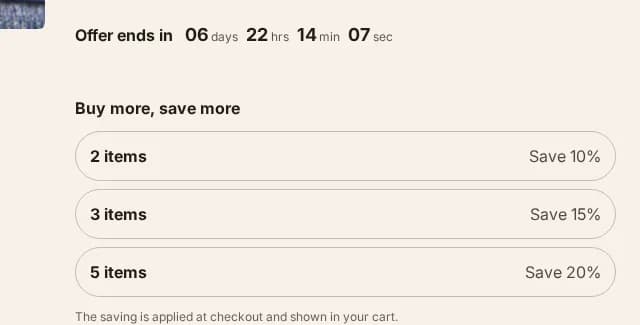
Quantity breaks, on the product page 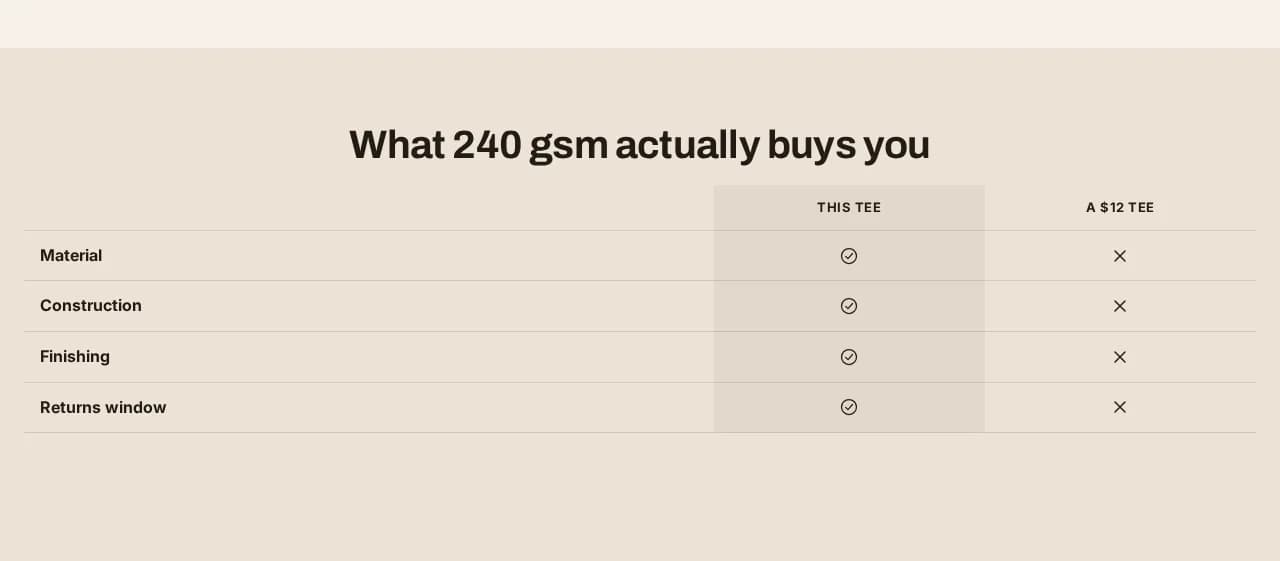
Comparison table 
Comparison slider 
Shoppable image
- A shoppable lookbook — hotspots on a styled photograph, each opening the product it sits on.
Every one of those is something merchants add to Dawn with an app. That is the real comparison, and it is not theme against theme:
Dawn plus four apps against one theme.
Four apps is four monthly subscriptions, four scripts loading on your storefront, four vendors who each need to still exist next year, and four sets of settings that interact in ways nobody tested together. A theme that has those sections built in has one of each.
That is the whole argument for paying for a theme, and it only applies once you are actually about to install those apps. If you are not, Dawn wins and this page should not talk you out of it.
Updates: the thing this whole category gets wrong
Dawn updates in one click, in your admin. Shopify distributes it, so Shopify can push a new version to you, and your theme settings come across.
What does not come across is code. If you or a developer edited a Liquid file, that edit belongs to the old copy — and on a free theme you are updating from the admin, that is the one thing the button cannot carry.
Every theme sold outside the Theme Store normally has it worse. A new version arrives as a zip, installing it means uploading a whole new theme, and this time it is not only your code that is lost — the sections you arranged, the text you rewrote and the colours you tuned belong to the old theme too. When we read the one-to-three-star reviews of the three biggest direct-sold themes, it was the same complaint in all three, in their own words — quoted, dated and linked on the page about updates: customers reinstalling after every update, lifetime buyers finding that "lifetime" did not include a usable upgrade path, updates that "require coding experience or significant time".
We fixed it, and the fix is the reason to read this section rather than skip it.
A Hullara update is not a reinstall. We take the store's current theme, and:
- Your templates, theme settings and layout are never written. Not merged, not migrated — copied across wholesale. Whatever the theme editor says today is what it says afterwards.
- Liquid files you edited stay yours. Every file is compared against the version you were shipped, so an edit is a fact rather than a guess. Files you changed keep your version and are listed by name, so you know exactly which ones did not take the new release.
- Translations are merged, new strings underneath your own wording rather than over it.
- The result is uploaded as a separate, unpublished theme. The store serving your customers is not touched. You look at the new one, and you publish it when you are ready — or never.
That last point is the design, not a detail. There is deliberately no way for us to push straight to your live theme, because a broken update on a live store is the failure this whole mechanism exists to make impossible.
What it costs you against Dawn: immediacy. Dawn is a button and nobody else is involved. This is a message to us and a same-day turnaround, because the tool that does the merge is ours and runs on our machine, not yours. If never having to ask a person matters more to you than keeping your customisations, that is a real preference and Dawn serves it better.
The evidence, since this is a claim about our own product. Run against a real
store on 2026-08-06, upgrading it from 0.1.0 to 0.2.0 and then checked against
Shopify's API rather than by eye: the store's settings_data.json and its home
page template came out byte-for-byte identical to the old theme; the JavaScript
matched the new build and not the old one; a comment somebody had left in
footer.liquid was still there; the translation file carried both the store's own
key and the one 0.2.0 added; and the live theme's last-modified date was over a
week earlier — untouched, as promised.
Price, said plainly
Dawn costs nothing. Hullara Core is $129 once, or $19 a month; Pro is $229 once, or $30 a month.
The comparison that matters is not $129 against $0. It is $129 once against the monthly cost of the apps you would otherwise install to get the same product page, for as long as your store exists. Work out that second number for your own store before deciding; for a store that needs one of those apps, Dawn is still cheaper, and for a store that needs four, it is not close.
Where the two are the same, and nobody should claim otherwise
Neither theme fabricates anything. No per-visitor countdown that resets on reload, no stock number nobody set, no "12 people are viewing this". Shopify would not ship a default theme that did, and Hullara cannot — the code to invent those numbers was never written, which is a design decision explained at length on why this theme has no fake countdown. If you are comparing either of these against a theme that does fabricate, that is the comparison worth reading, and invented scarcity is now illegal in the UK and the EU.
Both take accessibility seriously. Hullara runs axe at WCAG 2.1 AA over four builds and five viewport widths; Shopify maintains Dawn to its own bar. Neither is a reason to pick one.
Both degrade without JavaScript. Hullara's collection filtering, sorting and pagination are a plain form that works with scripts off, and its content renders without them.
Speed: no claim. Hullara averages 80 performance and 100 accessibility — the accessibility figure is the worst route in the run, not the average — and the method is published. We have not measured Dawn under the same conditions, and your own images and apps move those numbers more than the theme does. A speed comparison here would be a number with no method behind it, which is the one thing this site will not print.
So which one
Buy Dawn — that is, stay on it — if you are early, if your catalogue is small, if you have not yet hit a product-page limitation you can name, or if you would rather never have to ask a person for anything. Those are real reasons and most stores have at least one of them.
Look at Hullara when you can finish this sentence: "I need my product page to do ___, and the only way I can find is an app." If the blank is a quick view, a bundle, a quantity discount, a comparison table or a shoppable photograph, it is already in one of the two editions, and you can check exactly which one on the pricing page — that table is generated from the theme's own build, so it cannot promise you a section the zip does not contain.
And if the blank is "update itself without me losing my work" — that used to be the sentence this page ended on, with Dawn as the answer. It is not any more. Dawn updates without you asking anybody; it does not promise to keep code you changed. We keep everything you changed and ask you to send one message. Pick the half that matters to your store.