Capturas das lojas demo Pro, 19 de out. de 2026. As fotos de produto das lojas demo são geradas por IA.
Hullara One Product
Um produto, uma página, e nada mais no caminho.
Hullara One Product
Preço de lançamento até 31 de dez. de 2026; depois, US$ 199.
Comprar vitalícioAssinar por US$ 19/mêsO plano mensal é um aluguer: se caducar, a sua loja mostra um aviso de licença até renovar. Uma licença vitalícia nunca o faz.
Hullara One Product Pro
Um produto, uma página — com a mecânica de ofertas que ela precisa.
Preço de lançamento até 31 de dez. de 2026; depois, US$ 349.
Comprar vitalícioAssinar por US$ 30/mêsO plano mensal é um aluguer: se caducar, a sua loja mostra um aviso de licença até renovar. Uma licença vitalícia nunca o faz.
Senha da loja: 123
Lojistas fundadores. Nossas primeiras 20 lojas configuram o tema com o desenvolvedor, de graça.
Peça uma vaga de fundador30 dias
Experimente na sua própria loja antes de decidir
- Carregue o zip como tema não publicado. A sua loja ativa não muda.
- Pré-visualize com os seus produtos, os seus textos, no seu telemóvel.
- Publique só depois de decidir. Se não servir, escreva-nos em 30 dias e devolvemos tudo.
- Download imediato após o pagamento
- Atualizações que preservam suas personalizações — atualmente v0.4.2
- Uma loja ativa; a chave ativa em até 3, para staging e uma mudança
- 20 tipos de app incorporados — sem subscrição para nenhum
- Nenhum servidor de licenças entre a sua loja e os seus clientes: qualquer falha significa licença completa
- axe em WCAG 2.1 AA, zero violações graves, e todo o percurso de compra funciona pelo teclado
Hullara One Product is built for a store that sells one thing well: a long product page assembled from blocks, a home page that can take the order on its own, and a cart that opens in place. Around it are the plain pages a small catalogue still needs — a shop-all grid with no filters to wade through, search, and a journal for the questions one product page cannot answer.
Esta página está escrita em inglês. O nome e o resumo do tema estão traduzidos; as descrições detalhadas abaixo ainda não.
Veja em movimento
O que o Hullara One Product Pro acrescenta a esta edição
17 seções e blocos que só vêm no Pro, cada um abaixo como aparece na loja de demonstração.
Os 17, tal como aparecem
Age gatesecção Bundle dealsecção Cart upsellsecção Comparison slidersecção Comparison tablesecção Content tabssecção Countdown barsecção Logos e citações dos veículos que escreveram sobre a sua loja, numa fileira abaixo do banner principal. Você adiciona cada um no editor de temas, então ele mostra só a cobertura que você realmente tem.
Press coveragesecção Promo popupsecção Shoppable imagesecção Product complementarybloco Product countdownbloco Product discount codebloco Diz como uma peça de roupa ou um calçado veste em relação ao tamanho que o cliente costuma usar — pequeno, fiel ao tamanho, grande — lido de um metafield do produto. Feito para roupas e calçados, por isso aparece na demo Apparel.
Product fitbloco Product notify mebloco Product quantity breaksbloco Product tabsbloco
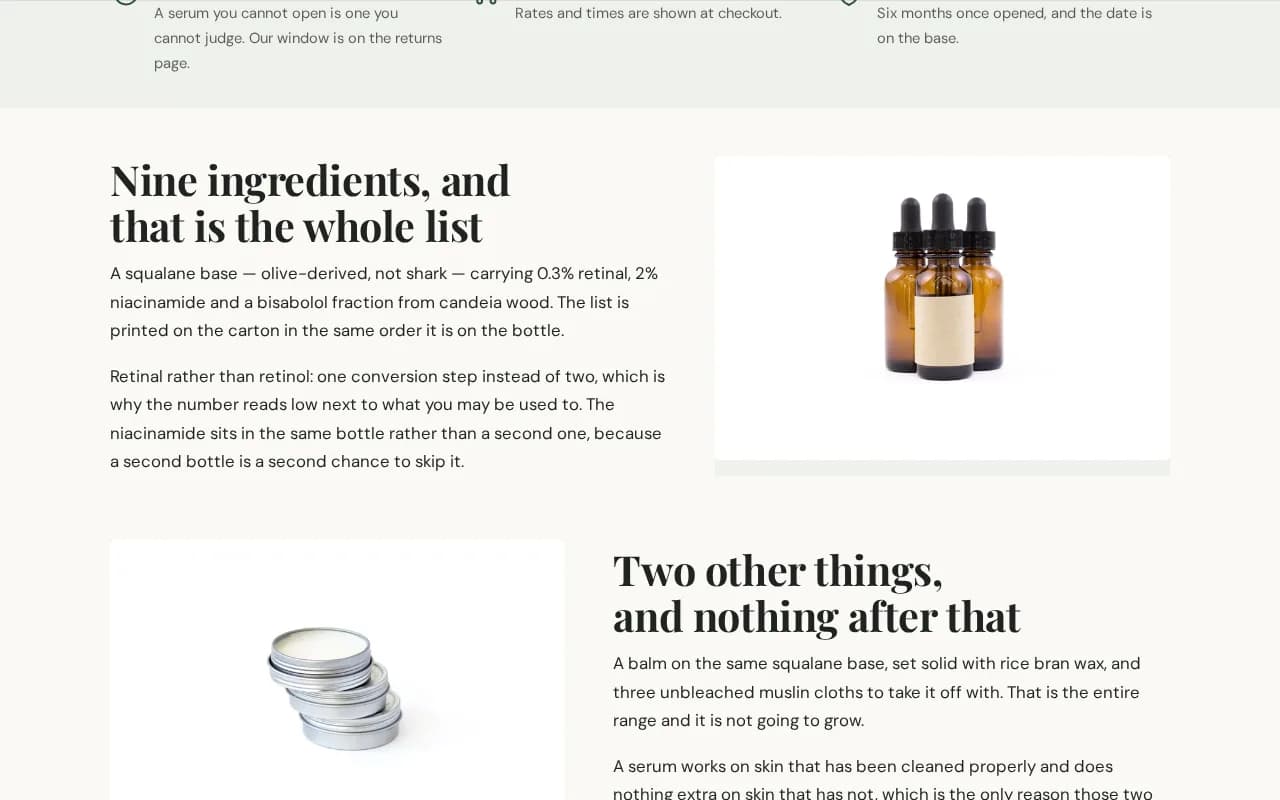
Run promotions with real deadlines
- Countdown barsecção
A site-wide band counting down to a date you set. When the deadline passes it renders nothing at all, rather than surviving as an empty coloured stripe.
- Product countdownbloco
The same deadline on the product page, from the same snippet — so an expired offer disappears in both places or neither.
- Product discount codebloco
A code the shopper applies in one tap, instead of remembering it as far as the checkout.
- Promo popupsecção
Email capture on a delay you set, rather than the moment the page loads.
Put more in every order
- Bundle dealsecção
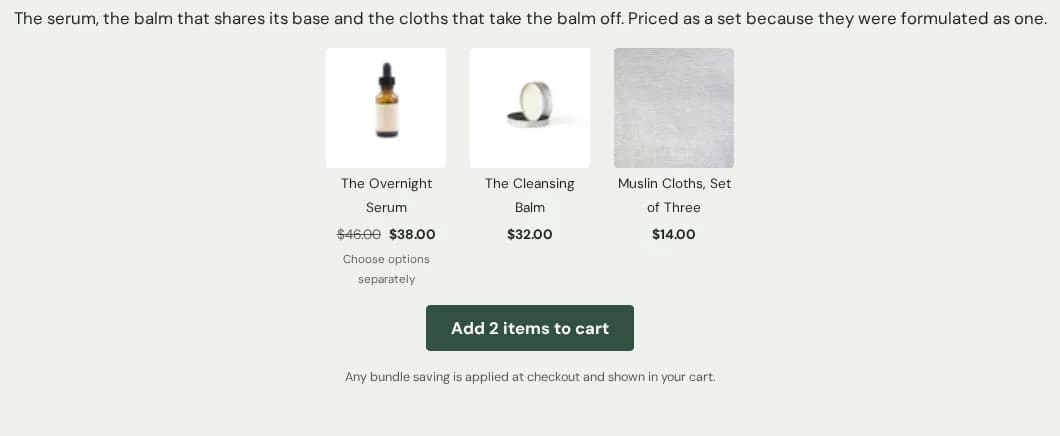
Buy-the-set offers assembled from products you already sell.
- Cart upsellsecção
One relevant add-on in the cart, as theme code rather than a third-party script.
- Product quantity breaksbloco
A volume ladder that sets the real quantity input and leaves the money to the cart — it prints no per-tier price, because only Shopify knows which discounts a given customer actually gets.
- Product complementarybloco
“Pairs well with” on the product page, from Shopify's own recommendations or a metafield you curate.
- Product notify mebloco
A back-in-stock field under a sold-out size, posted through Shopify's own forms — to your inbox, or as a tagged customer a Flow can email on restock. The theme itself sends nothing.
Help shoppers decide
- Comparison tablesecção
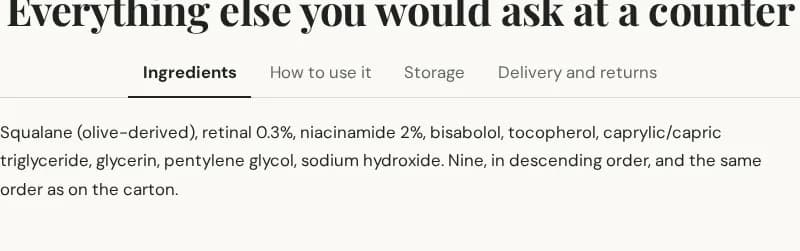
A table putting your products side by side on the attributes that decide the sale.
- Comparison slidersecção
A before-and-after slider, for a result two photographs can prove.
- Product tabsbloco
The description split into tabs instead of one wall of text.
- Content tabssecção
The same tabs for any content section, not only the product page.
- Press coveragesecção
Quotes from the press, each naming the publication. It ships empty and shows nothing until you add a real one, so no placeholder quote goes live on a store that forgot it.
- Product fitbloco
How a garment fits against the size a shopper usually wears, from a value you set per product. Until you set one it says nothing, so no product is called true to size by default.
Merchandise the catalogue, and check age where the law asks
- Shoppable imagesecção
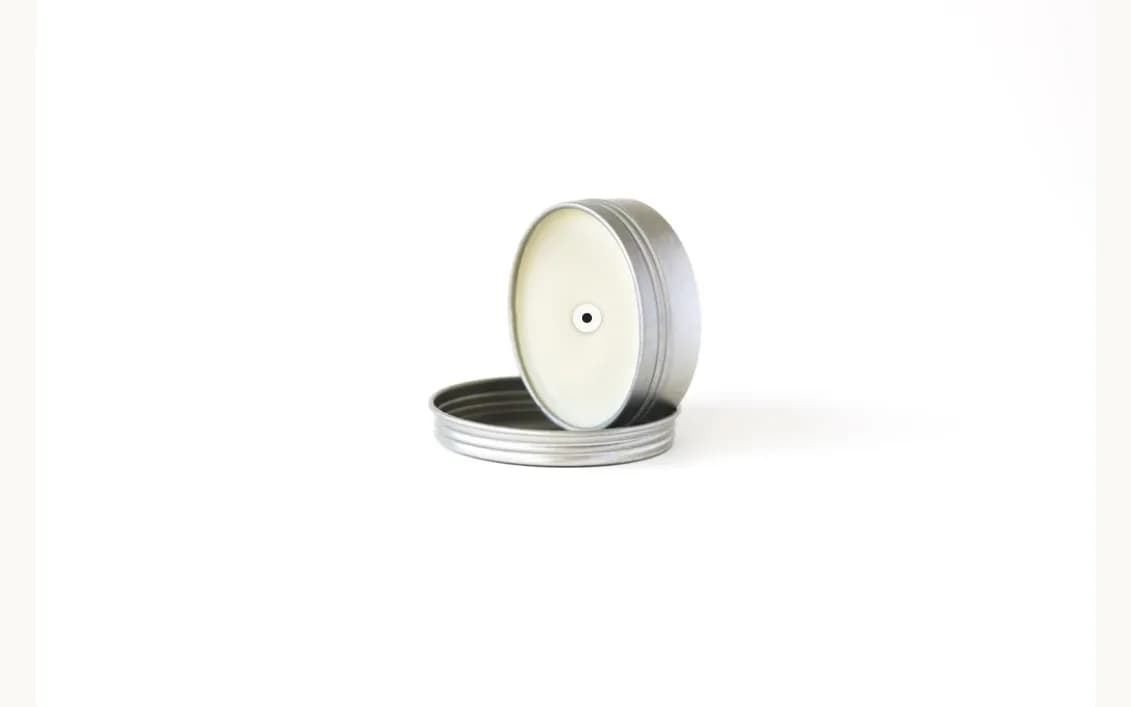
A lookbook image with buyable hotspots placed on it.
- Age gatesecção
An age check in front of the storefront, for a catalogue that is required to have one.
O Hullara One Product Pro custa US$ 100 a mais, uma única vez: tudo desta edição, mais tudo o que está acima.
O que o torna diferente
A product page you arrange like a landing page
Every block on the product page can be reordered, duplicated or removed in the theme editor: gallery, price, variant picker, description, size chart, trust badges, delivery estimate, sticky buy bar.
Only what a one-product shop needs, so pages stay light
Excluding the catalogue templates removes the snippets and components only they rendered. Nothing is hidden behind a setting; the files are not in the download.
Your store never waits on our servers
The theme asks our licence service one question, once, after your page has finished painting, and remembers the answer for three days. It never delays a render. Every failure — our servers down, a timeout, a bad signature — means fully licensed, and a lifetime licence never lapses.
Todos os recursos, em detalhe
A product page long enough to sell
A one-product store has one page to answer every objection, so the page has to hold copy, proof and the buy button at once.
Everything is a block
Gallery, title, price, variant picker, quantity, description, custom fields, SKU, inventory, rating, size chart, trust badges, payment icons and a sticky add-to-cart bar. Order them however the argument runs; drop the ones you do not need.
The buy button never scrolls away
The sticky bar sits outside the product form and attaches to it by id, so it submits the same variant and the same quantity as the form itself. There is never a second product form in the document.
- Follows the variant the customer is actually looking at
- Keyboard operable, with a visible focus ring
Sections for the argument around it
Multirow, rich text, image banners, testimonials, an icon bar, a ticker, collapsible FAQs and video — the pieces a long-form landing page is made of, all editable in the theme editor.
What it will not do
A single-product store leans hard on trust signals, which is exactly why the ones here are wired to real data or render nothing at all.
No invented reviews, stock or deadlines
The rating block renders only from real review data. The stock meter renders only when Shopify is genuinely tracking that variant. The delivery estimate is a range of business days, never a date computed from the visitor's own clock. Fabricated scarcity is prohibited conduct under the UK DMCC 2024 and the EU Omnibus directive.
A licence check that cannot cause an outage
The check runs once, at idle, after first paint, and every failure resolves to licensed — so a bad day on our side is never a bad day on the storefront. What it can do is lapse: an expired or revoked licence shows a notice until it is put right.
Built to work for every shopper
Operable without a mouse, and without motion
The whole purchase path works from the keyboard with a visible focus ring at every step. A visitor whose system asks for reduced motion gets no motion at all, not less of it.
Content is visible before JavaScript runs
Reveal animations start hidden, so a failed script would otherwise mean a blank page. The from-state is gated on JavaScript having loaded: no script means no animation and all the content.
What Pro adds
What you get on top of Core: the sections and blocks below come only in the Pro download, each one switched on from the theme editor.
Timed promotions, driven by a real end time
A countdown for the whole storefront and one for the product page. Both run to a date you set — not to a timer that restarts for every visitor, which regulators in the UK and the EU treat as a misleading commercial practice rather than a growth tactic.
Volume pricing on the one page you have
On a single-product store the quantity ladder is the whole upsell. You describe the tiers and set the matching automatic discount in Shopify. Selecting a tier sets the real quantity input, so nobody adds three at the price they saw for one.
- No per-tier price is printed — the cart is where Shopify states what is actually charged
- The tiers are yours to word; the discount behind them is a Shopify automatic discount
The set, added in one tap
Several products offered together with one button that adds all of them. It states no saving of its own — the discount is applied by your checkout, so the page and the till cannot disagree.
- Each product keeps its own price, straight from Shopify; nothing is summed and no bundle price is printed
- A product with more than one variant is shown but excluded from the one-tap add, because a bundle cannot pick a size for somebody
- The saving appears in the cart, from Shopify's own line-level allocation
Panels for everything the page cannot say at once
A one-product page has to carry the ingredients, the method, the sizing and the care. Tabs let it hold all of it without becoming a scroll nobody finishes.
- An ARIA tablist: arrow keys move between tabs, and the open panel is the one a screen reader is pointed at
- Up to twelve panels, each one a block you can reorder
Tudo o que vem no Hullara One Product
64 recursos no Hullara One Product e 88 no Hullara One Product Pro, todos ativados no editor de temas e nenhum é um app.
Esta página está disponível apenas em inglês.
| Recurso | Core | Pro |
|---|---|---|
| Product bundles | — | ✓ |
| Quantity breaks | — | ✓ |
| Cart upsell | — | ✓ |
| “Pairs well with” on the product page | — | ✓ |
| “You may also like” | ✓ | ✓ |
| Free-shipping progress bar | ✓ | ✓ |
| A free-shipping threshold per currency | ✓ | ✓ |
| Gift wrap in the cart | — | ✓ |
| Recurso | Core | Pro |
|---|---|---|
| Countdown to a real deadline | — | ✓ |
| Discount code, applied in one tap | — | ✓ |
| Email popup with exit intent | — | ✓ |
| Newsletter signup | ✓ | ✓ |
| Rotating announcement bar | ✓ | ✓ |
| Scrolling ticker | ✓ | ✓ |
| Recurso | Core | Pro |
|---|---|---|
| Customer quotes | ✓ | ✓ |
| Logo row | ✓ | ✓ |
| Press coverage | — | ✓ |
| Promise row | ✓ | ✓ |
| FAQ section | ✓ | ✓ |
| Age verification | — | ✓ |
| Cookie consent that holds your pixels | ✓ | ✓ |
| Contact form with your own fields | ✓ | ✓ |
| Discourage image copying | ✓ | ✓ |
| Recurso | Core | Pro |
|---|---|---|
| Product hero | ✓ | ✓ |
| Ingredients and formula | ✓ | ✓ |
| How-to-use steps | ✓ | ✓ |
| Routine order | ✓ | ✓ |
| Collection introduction with counted facts | ✓ | ✓ |
| Recurso | Core | Pro |
|---|---|---|
| Country and language selectors | ✓ | ✓ |
| Currency codes on every price | ✓ | ✓ |
| Quick order list for B2B | ✓ | ✓ |
| B2B volume pricing | ✓ | ✓ |
40Seções inclusas
Ver a lista completa
- Announcement bar
- Apps
- Bento grid
- Cart drawer
- Collapsible content
- Collection intro
- Consent banner
- Contact form
- Custom liquid
- Featured product
- Footer
- Formula
- Header
- Icon bar
- Image banner
- Journal
- Logo list
- Main 404
- Main article
- Main blog
- Main cart
- Main collection
- Main minimal
- Main page
- Main password
- Main product
- Main search
- Multirow
- Newsletter
- Product hero
- Product recommendations
- Quick order list
- Quick view
- Rich text
- Scroll to top
- Steps
- Testimonials
- Ticker
- Use order
- Video
54Blocos inclusos
Ver a lista completa
- Announcement
- Button
- Cart body
- Cart footer
- Column
- Container
- Divider
- Footer brand
- Footer menu
- Footer newsletter
- Footer payment
- Footer social
- Footer text
- Footer wordmark
- Group
- Header drawer
- Header drawer body
- Header drawer foot
- Header drawer head
- Heading
- Icon
- Image
- Product badge
- Product buy buttons
- Product card
- Product collapsible
- Product colourways
- Product custom field
- Product delivery estimate
- Product description
- Product formula
- Product gallery
- Product inventory
- Product payment icons
- Product pickup
- Product price
- Product quantity
- Product rating
- Product selling plan
- Product size chart
- Product sku
- Product specs
- Product sticky atc
- Product stock meter
- Product title
- Product trust badges
- Product variant note
- Product variant picker
- Product volume pricing
- Slide
- Slider
- Spacer
- Text
- Video
Idiomas: en, ar, bg, cs, da, de, el, es, fi, fr, he, hr, hu, id, it, ja, ko, nb, nl, pl, pt-BR, pt-PT, ro, sk, sl, sv, th, tr, vi, zh-CN, zh-TW
Histórico de versões
v0.4.2
- The licence check now loads after your page does, off the path a visitor's first view takes.
- Previewing the theme no longer counts as installing it on that store.
9 versões anteriores
v0.4.1
- Each download is made for the store you name when you download it: install it on that store. A second store, a staging copy included, takes its own download from your licence page.
v0.4.0
- A redesign of the whole theme: the homepage, collection and product pages and the cart are redrawn, with line icons and a journal on the homepage.
- Settings that had to be set in two places — the logo, the cart, colour option names — are now set once in Theme settings. After updating, set them again there.
- Search engines read the shop as it is: one page heading per page, products with sizes or colours described as one group, and article dates in your shop's time zone.
- Pages settle sooner on a phone: Sign in with Shop waits for a visitor, and pictures a phone cannot see yet wait their turn.
v0.3.0
- Thirty-one storefront languages, Arabic and Hebrew read right to left, and the theme editor in the twenty-two languages Shopify's admin offers.
- A journal, a shop-all page and search pages of the theme's own, and a homepage Featured product that changes price and button with the chosen option.
- Show currency codes now reaches every price, cart lines and discounts included, and a cart-level discount reads Subtotal, discount, Estimated total.
- Three theme styles to start from, heading and button case settings, a Bento grid section, and a Quick order list for B2B buyers on Shopify Plus.
- Headings the theme fills in now follow each shopper's language. If you emptied one to hide it, it shows again after the update: untick Show heading instead.
v0.2.5
- The free-shipping threshold is a whole amount in your store's currency, and the bar shows only to customers paying in it — a $500 threshold no longer tells a shopper paying in yen to spend ¥500 more.
- A Show currency codes setting puts CAD, AUD and the like beside every price, and the cart total always carries the code.
- Translated storefronts no longer show English in the page title, the cart heading or the upsell heading, and colour swatches on cards survive a translated option name.
- The gift card is a page of its own with a working QR code, a locked store shows the password layout, and Reset to default in the editor returns to this theme's own look.
v0.2.4
- Four sections offer a second starting shape: Collapsible content as an FAQ, Testimonials as a single quote, Collection list as two large categories, and Featured collection as an editorial row.
- Visibility, colour scheme, animation and padding now explain themselves where you set them — 146 controls that had a label and nothing else.
- Settings that cannot apply are hidden rather than shown: a shadow's offsets until it has an opacity, a border's opacity until it has a thickness, and every animation control while animations are switched off.
v0.2.3
- Fifteen content sections can now be aligned — left, centred or right — and each has a separate setting for phones, which the theme had none of before.
- The cart drawer dims the page behind it instead of blanking it.
- Icon rows keep their text beside their icon, and a tab panel keeps its copy readable, whatever the section around them is set to.
- Vietnamese, Spanish and Portuguese: twenty-two strings that were still English, and one that stopped mid-sentence.
v0.2.2
- Buy buttons in a collection row now line up, whatever the product titles do to the card heights.
- Typing in search no longer draws a second magnifier on top of the first, outside the field.
- The cart’s “Order note” says it opens, instead of looking like a heading with nothing behind it.
- A sold-out card ends properly rather than in a line of bare grey text.
- The sticky buy bar stops painting over the last 72px of every page.
v0.2.1
- The homepage you publish no longer carries example claims as if they were yours.
- Gone: a dispatch cutoff and a returns window that were ours to keep, not yours.
- A fresh install no longer points at images and a product that only exist on our demo store, so the first thing you see is your own shop rather than a broken one.
v0.2.0
- First public release.
- One product, told properly: a block-built page, a cart that opens in place, and no collection grid to pay for.
Perguntas
What is the difference between Core and Pro?
Pro is this theme plus 17 extra sections and blocks, listed by name further up this page. The Core download does not contain the Pro files at all, and everything on this page is in it.
Can I add a collection page later?
It has one: a plain shop-all grid with no filters or sorting, which is all a catalogue of a few products needs. If yours grows into one that does need filters, Hullara Apparel is the same core with them, and your content moves across unchanged.
What happens if I stop paying?
A lifetime licence keeps working forever. A monthly licence is a rental: when the period you have paid for ends, the licence lapses, downloads stop and your storefront shows a licence notice until you renew. A failed card does not do that — fourteen days of grace come first. Buy the lifetime licence if you want the theme to be yours whatever happens later.
What languages does the theme ship in?
31, in the zip — every one is listed under Languages on this page. Their structure is checked by the build rather than by eye — a translation that drops a plural form or loses an interpolated value is a build error, not a warning. What they have not had is a native speaker's read for register and idiom, and we say so on the evidence page. Every piece of visible text is a translatable string, so Shopify's own translation tools handle anything beyond them.