The version of this feature that costs merchants money
Every quantity-break app, and most themes that ship one, does the same thing: takes the price, multiplies it by your percentage, and prints "£12.75 each" under the tier. It looks more helpful. It is the part we refuse to build.
A Shopify discount is not evaluated by the theme. It is evaluated at checkout, against conditions the product page cannot see:
- which customer segment the shopper is in,
- whether it combines with another discount they already have,
- a minimum subtotal,
- usage limits and start and end dates,
- and whether you changed the percentage in your admin after typing a different one into the theme.
Any one of those makes the number on the page diverge from the number at the till. Both directions are bad and one is much worse: a page that promised less than the customer is charged is a chargeback, a support thread, and — in the UK and the EU — a price-indication problem that lands on the merchant.
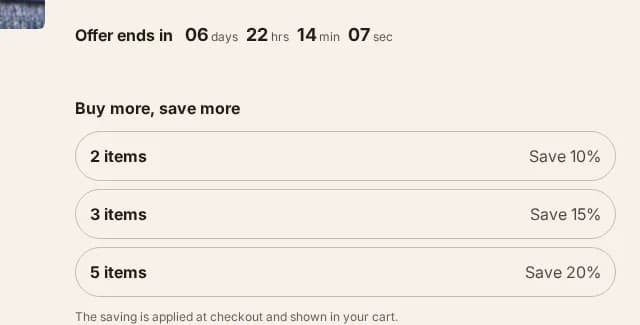
The tiers, as they render 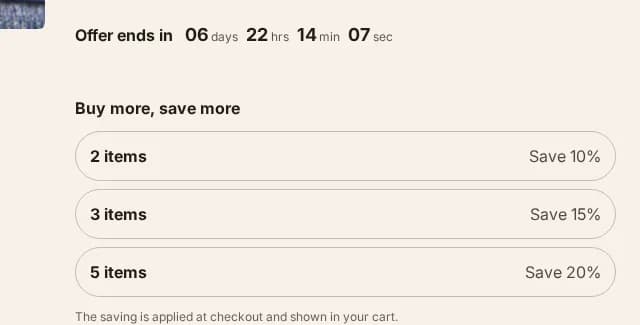
In place on the product page
What it does instead
It restates your offer, sets the quantity, and lets the cart be where money is stated.
The tiers you type are a description of a discount you have already created in Settings → Discounts. Pressing one writes the quantity into the product form — the same single input the quantity stepper uses, so there is never a second number in the page disagreeing with the first — and it writes it in a way the form's own validation sees, so a tier your variant's rules forbid gets corrected instead of travelling to the cart as a quantity you cannot sell.
Then the saving appears in the cart, where it comes from
cart.items[].line_level_discount_allocations — Shopify's own answer to what
this order is actually being discounted by. The loop closes on a fact rather
than on an estimate.
What that costs you, said plainly
A shopper reading the product page sees the offer and the quantity, and does not see the per-unit price until the cart. Some merchants will want that number on the page. It is a real preference and this theme will not serve it.
The alternative is a number that is right most of the time. We would rather ship the version that is right every time and say why, than the version that demos better.
You still need to create the discount
Nothing here creates one. This is a display for an automatic discount that must already exist in your admin, and the theme setting says so at the point where you type the tiers.
That is deliberate too: a theme that created discounts would be a theme holding your pricing, and the day you edit that pricing anywhere else the two copies disagree. Shopify owns your discounts. This owns the way they are explained.
Which edition
Pro. Core has the product page, the quantity stepper and the cart that states the saving — the tier ladder is one of the sections and blocks that make up the difference between the two downloads. The pricing page lists exactly which artefacts each edition contains, generated from the theme's own build.