The category sells an engine. This is not one.
Search for a Shopify cart upsell and every result offers recommendations: AI picks, frequently-bought-together, machine-learned affinity. That is the product those apps sell, and the surface — the row of products in the cart — is the part they give away to get it installed.
Hullara ships the surface and no engine, on purpose.
By the time somebody is looking at their cart they have decided. The offer worth making at that moment is not statistical, it is knowledge you already have: the care kit that goes with the boots, the refill that goes with the serum, gift wrap in December. You pick the products. The theme renders them.
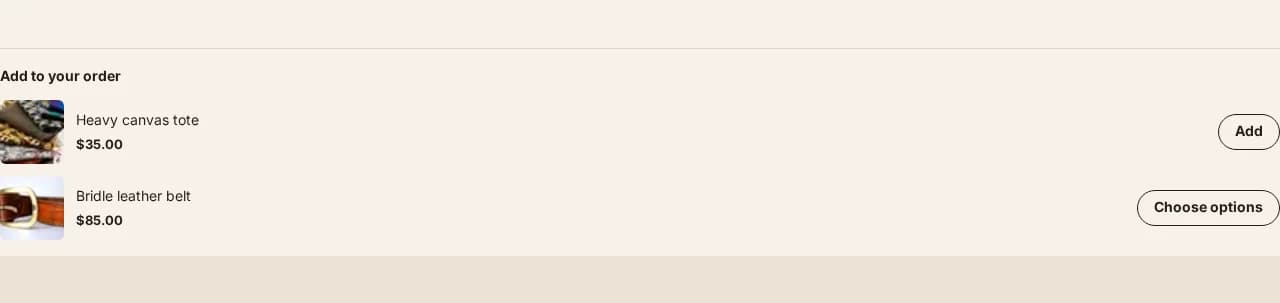
Products you chose, inside the cart
If you want machine-chosen recommendations, an app is still the right answer. This page is not arguing that recommendation engines are useless — it is saying that this feature is a different thing wearing the same name, and you should know which one you are getting before you pay for either.
What it will not offer
Anything already in the basket. The comparison is by product, not by variant, so "you already have this in a different size" still counts as already have.
That is a smaller decision than it sounds and it is the one that separates a cart upsell that reads as attentive from one that reads as automated. Offering somebody what is already in their cart looks like the shop is not paying attention — and worse, the add button would quietly increment a line they never meant to change.
It states no money of its own
Each product shows its own price, straight from Shopify. Nothing here computes a saving, a bundle total or a "was" figure. Same rule as everywhere else in this theme: the cart states money, from what Shopify returned. See why this theme has no fake countdown for the argument in full.
Where it appears, and one place it does not
On the cart page, rendered server-side with the rest of the cart — so it updates through Shopify's own section rendering on every cart change, with no fetch of its own and no second loading state to get wrong.
It is not in the cart drawer, and the reason is worth saying rather than hiding: the drawer is rendered from the theme layout and has no template file to place a section into. Putting the upsell there would mean a Core file carrying the markup, which would ship Pro code inside the Core download — the exact trade the two-edition split exists to refuse. It is a real limitation of the current design and it is written down in the section itself.
Which edition
Pro. The pricing page lists every section and block in each edition, generated from the theme's own build.