Hullara One Product Pro
One product, one page — with the offer mechanics a single page needs.
Founder price. $349 is the list price — Hullara is new, with no reviews and no public install count yet, and the lower price is for buying before those exist rather than a sale that ends.
Buy lifetimeSubscribe $30/monthMonthly is a rental: if it lapses, your storefront shows a licence notice until you renew. A lifetime licence never does.
30 days
Try it on your own store before you commit
- Upload the zip as an unpublished theme. Your live storefront does not change.
- Preview it with your own products, your own copy, on your own phone.
- Publish only once you have decided. If it is not right, email us within 30 days and we refund you in full.
- Instant download after payment
- Updates that keep your customisations — currently v0.2.4
- Use it on up to 3 stores you own
- 20 kinds of app built in — no subscription for any of them
- 26.4 KB of CSS and JavaScript on every page, gzipped — the build fails at 16 KB for the stylesheet alone
- No licence server between your shop and your customers: every failure means fully licensed
- axe at WCAG 2.1 AA, zero serious violations, and the whole purchase path works from the keyboard
Hullara Single Product is built for a store that sells one thing well: a long product page assembled from blocks, a minimal template for the pages either side of it, and a cart that opens in place. There is no collection grid, no search and no blog — not switched off, but absent, which is why the page carries less code than the same theme aimed at a catalogue. Pro is the same theme with 14 more sections and blocks in the zip: the ones a one-product store reaches for when the page has to carry a timed offer or a volume discount.
See it moving
What Pro adds
Read from the theme's own build manifests — 14 sections and blocks that are in a Pro download and in no Core one. This is what is in the zip, not what a page once said was.
All 14, as they render
Age gatesection Bundle dealsection Cart upsellsection Comparison slidersection Comparison tablesection Content tabssection Countdown barsection Promo popupsection Shoppable imagesection Product complementaryblock Product countdownblock Product discount codeblock Product quantity breaksblock Product tabsblock
Promotions that end when you said they would
- Countdown barsection
A site-wide band counting down to a date you set. When the deadline passes it renders nothing at all, rather than surviving as an empty coloured stripe.
- Product countdownblock
The same deadline on the product page, from the same snippet — so an expired offer disappears in both places or neither.
- Product discount codeblock
A code the shopper applies in one tap, instead of remembering it as far as the checkout.
- Promo popupsection
Email capture on a delay you set, rather than the moment the page loads.
More in the order, without an app
- Bundle dealsection
Buy-the-set offers assembled from products you already sell.
- Cart upsellsection
One relevant add-on in the cart, as theme code rather than a third-party script.
- Product quantity breaksblock
A volume ladder that sets the real quantity input and leaves the money to the cart — it prints no per-tier price, because only Shopify knows which discounts a given customer actually gets.
- Product complementaryblock
“Pairs well with” on the product page, from Shopify's own recommendations or a metafield you curate.
Helping a shopper decide
- Comparison tablesection
A table putting your products side by side on the attributes that decide the sale.
- Comparison slidersection
A before-and-after slider, for a result two photographs can prove.
- Product tabsblock
The description split into tabs instead of one wall of text.
- Content tabssection
The same tabs for any content section, not only the product page.
Merchandising, and one thing the law asks for
- Shoppable imagesection
A lookbook image with buyable hotspots placed on it.
- Age gatesection
An age check in front of the storefront, for a catalogue that is required to have one.
What makes it different
Everything in Core, and then some
Pro is not Core with switches. It is the same theme with additional files, so nothing you read on the Core page is missing here.
Smaller because it is smaller
Excluding the catalogue templates removes the snippets and components only they rendered. Nothing is hidden behind a setting; the files are not in the download.
Our outage is never yours
The theme asks our licence service one question, once, after your page has finished painting, and remembers the answer for three days. It never delays a render. Every failure — our servers down, a timeout, a bad signature — means fully licensed, and a lifetime licence never lapses.
Every feature, in detail
What Pro adds
These are the sections and blocks that are in a Pro download and not in a Core one. The list is read from the theme's own build, so it is what is actually in the zip rather than what a page once said was.
Timed promotions, driven by a real end time
A countdown for the whole storefront and one for the product page. Both run to a date you set — not to a timer that restarts for every visitor, which regulators in the UK and the EU treat as a misleading commercial practice rather than a growth tactic.
Volume pricing on the one page you have
On a single-product store the quantity ladder is the whole upsell. You describe the tiers and set the matching automatic discount in Shopify. Selecting a tier sets the real quantity input, so nobody adds three at the price they saw for one.
- No per-tier price is printed — the cart is where Shopify states what is actually charged
- The tiers are yours to word; the discount behind them is a Shopify automatic discount
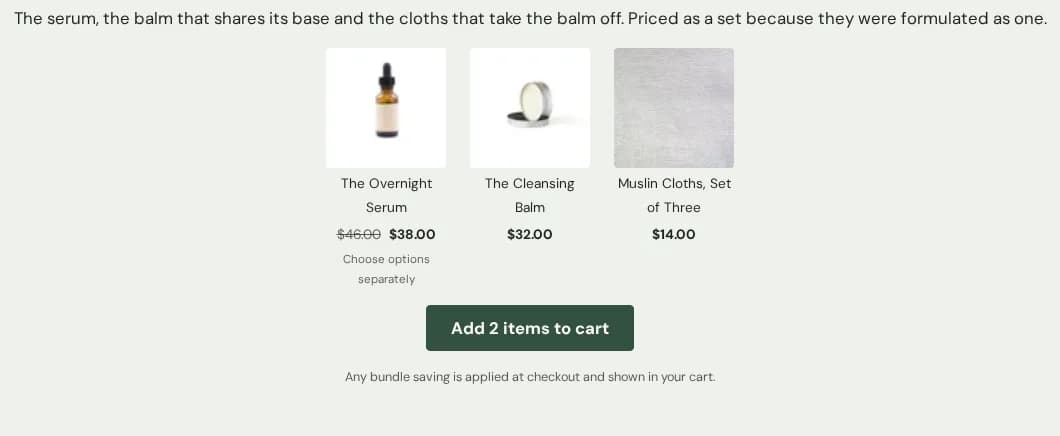
The set, added in one tap
Several products offered together with one button that adds all of them. It states no saving of its own — the discount is applied by your checkout, so the page and the till cannot disagree.
- Each product keeps its own price, straight from Shopify; nothing is summed and no bundle price is printed
- A product with more than one variant is shown but excluded from the one-tap add, because a bundle cannot pick a size for somebody
- The saving appears in the cart, from Shopify's own line-level allocation
Panels for everything the page cannot say at once
A one-product page has to carry the ingredients, the method, the sizing and the care. Tabs let it hold all of it without becoming a scroll nobody finishes.
- An ARIA tablist: arrow keys move between tabs, and the open panel is the one a screen reader is pointed at
- Up to twelve panels, each one a block you can reorder
A product page long enough to sell
A one-product store has one page to answer every objection, so the page has to hold copy, proof and the buy button at once.
Everything is a block
Gallery, title, price, variant picker, quantity, description, custom fields, SKU, inventory, rating, size chart, trust badges, payment icons and a sticky add-to-cart bar. Order them however the argument runs; drop the ones you do not need.
The buy button never scrolls away
The sticky bar sits outside the product form and attaches to it by id, so it submits the same variant and the same quantity as the form itself. There is never a second product form in the document.
- Follows the variant the customer is actually looking at
- Keyboard operable, with a visible focus ring
Sections for the argument around it
Multirow, rich text, image banners, testimonials, an icon bar, a ticker, collapsible FAQs and video — the pieces a long-form landing page is made of, all editable in the theme editor.
What it will not do
A single-product store leans hard on trust signals, which is exactly why the ones here are wired to real data or render nothing at all.
No invented reviews, stock or deadlines
The rating block renders only from real review data. The stock meter renders only when Shopify is genuinely tracking that variant. The delivery estimate is a range of business days, never a date computed from the visitor's own clock. Fabricated scarcity is prohibited conduct under the UK DMCC 2024 and the EU Omnibus directive.
A licence check that cannot cause an outage
The check runs once, at idle, after first paint, and every failure resolves to licensed — so a bad day on our side is never a bad day on the storefront. What it can do is lapse: an expired or revoked licence shows a notice until it is put right.
The parts nobody markets
Operable without a mouse, and without motion
The whole purchase path works from the keyboard with a visible focus ring at every step. A visitor whose system asks for reduced motion gets no motion at all, not less of it.
Content is visible before JavaScript runs
Reveal animations start hidden, so a failed script would otherwise mean a blank page. The from-state is gated on JavaScript having loaded: no script means no animation and all the content.
37Sections included
List every one
- Announcement bar
- Apps
- Cart drawer
- Collapsible content
- Consent banner
- Contact form
- Custom liquid
- Featured product
- Footer
- Header
- Icon bar
- Image banner
- Logo list
- Main 404
- Main cart
- Main minimal
- Main page
- Main password
- Main product
- Multirow
- Newsletter
- Product recommendations
- Quick view
- Rich text
- Scroll to top
- Testimonials
- Ticker
- Video
- Age gate
- Bundle deal
- Cart upsell
- Comparison slider
- Comparison table
- Content tabs
- Countdown bar
- Promo popup
- Shoppable image
50Blocks included
List every one
- Announcement
- Button
- Cart body
- Cart footer
- Column
- Container
- Divider
- Footer menu
- Footer newsletter
- Footer payment
- Footer social
- Footer text
- Group
- Header drawer
- Header drawer body
- Header drawer foot
- Header drawer head
- Heading
- Icon
- Image
- Product badge
- Product buy buttons
- Product custom field
- Product delivery estimate
- Product description
- Product gallery
- Product inventory
- Product payment icons
- Product pickup
- Product price
- Product quantity
- Product rating
- Product selling plan
- Product size chart
- Product sku
- Product sticky atc
- Product stock meter
- Product title
- Product trust badges
- Product variant picker
- Slide
- Slider
- Spacer
- Text
- Video
- Product complementary
- Product countdown
- Product discount code
- Product quantity breaks
- Product tabs
Languages: en, de, es, fr, it
Release history
v0.2.4
- Four sections offer a second starting shape: Collapsible content as an FAQ, Testimonials as a single quote, Collection list as two large categories, and Featured collection as an editorial row.
- Visibility, colour scheme, animation and padding now explain themselves where you set them — 146 controls that had a label and nothing else.
- Settings that cannot apply are hidden rather than shown: a shadow's offsets until it has an opacity, a border's opacity until it has a thickness, and every animation control while animations are switched off.
v0.2.3
- Fifteen content sections can now be aligned — left, centred or right — and each has a separate setting for phones, which the theme had none of before.
- The cart drawer dims the page behind it instead of blanking it.
- Icon rows keep their text beside their icon, and a tab panel keeps its copy readable, whatever the section around them is set to.
- Vietnamese, Spanish and Portuguese: twenty-two strings that were still English, and one that stopped mid-sentence.
v0.2.2
- Buy buttons in a collection row now line up, whatever the product titles do to the card heights.
- Typing in search no longer draws a second magnifier on top of the first, outside the field.
- The cart’s “Order note” says it opens, instead of looking like a heading with nothing behind it.
- A sold-out card ends properly rather than in a line of bare grey text.
- The sticky buy bar stops painting over the last 72px of every page.
v0.2.1
- The homepage you publish no longer carries example claims as if they were yours.
- Gone: a dispatch cutoff and a returns window that were ours to keep, not yours.
- A fresh install no longer points at images and a product that only exist on our demo store, so the first thing you see is your own shop rather than a broken one.
v0.2.0
- First public release.
- Everything in Core, plus the conversion sections that need real data behind them.
4 earlier releases
v0.2.3
- Fifteen content sections can now be aligned — left, centred or right — and each has a separate setting for phones, which the theme had none of before.
- The cart drawer dims the page behind it instead of blanking it.
- Icon rows keep their text beside their icon, and a tab panel keeps its copy readable, whatever the section around them is set to.
- Vietnamese, Spanish and Portuguese: twenty-two strings that were still English, and one that stopped mid-sentence.
v0.2.2
- Buy buttons in a collection row now line up, whatever the product titles do to the card heights.
- Typing in search no longer draws a second magnifier on top of the first, outside the field.
- The cart’s “Order note” says it opens, instead of looking like a heading with nothing behind it.
- A sold-out card ends properly rather than in a line of bare grey text.
- The sticky buy bar stops painting over the last 72px of every page.
v0.2.1
- The homepage you publish no longer carries example claims as if they were yours.
- Gone: a dispatch cutoff and a returns window that were ours to keep, not yours.
- A fresh install no longer points at images and a product that only exist on our demo store, so the first thing you see is your own shop rather than a broken one.
v0.2.0
- First public release.
- Everything in Core, plus the conversion sections that need real data behind them.
Questions
What do I get here that Core does not have?
The extra sections and blocks listed above — currently 14 of them. Everything else is identical: Pro is Core's files plus those, in one zip.
Can I add a collection page later?
Not to this theme — the collection, search and blog templates are not in the build. If your catalogue grows, Hullara Apparel is the same core with those pages in it, and your content moves across unchanged.
What happens if I stop paying?
A lifetime licence keeps working forever. A monthly licence is a rental: when the period you have paid for ends, the licence lapses, downloads stop and your storefront shows a licence notice until you renew. A failed card does not do that — fourteen days of grace come first. Buy the lifetime licence if you want the theme to be yours whatever happens later.
What languages does the theme ship in?
Five, in the zip: English, French, German, Spanish and Italian. Their structure is checked by the build rather than by eye — a translation that drops a plural form or loses an interpolated value is a build error, not a warning. What they have not had is a native speaker's read for register and idiom, and we say so on the evidence page. Every piece of visible text is a translatable string, so Shopify's own translation tools handle anything beyond the five.