Saved on the shopper's device
A heart sits on every product card and a Save to wishlist button on the product page. Pressing either saves the piece, and every other heart for the same product on the page follows. The wishlist page then lists what was saved, as cards, under a line that says where the list lives: saved on this device only.
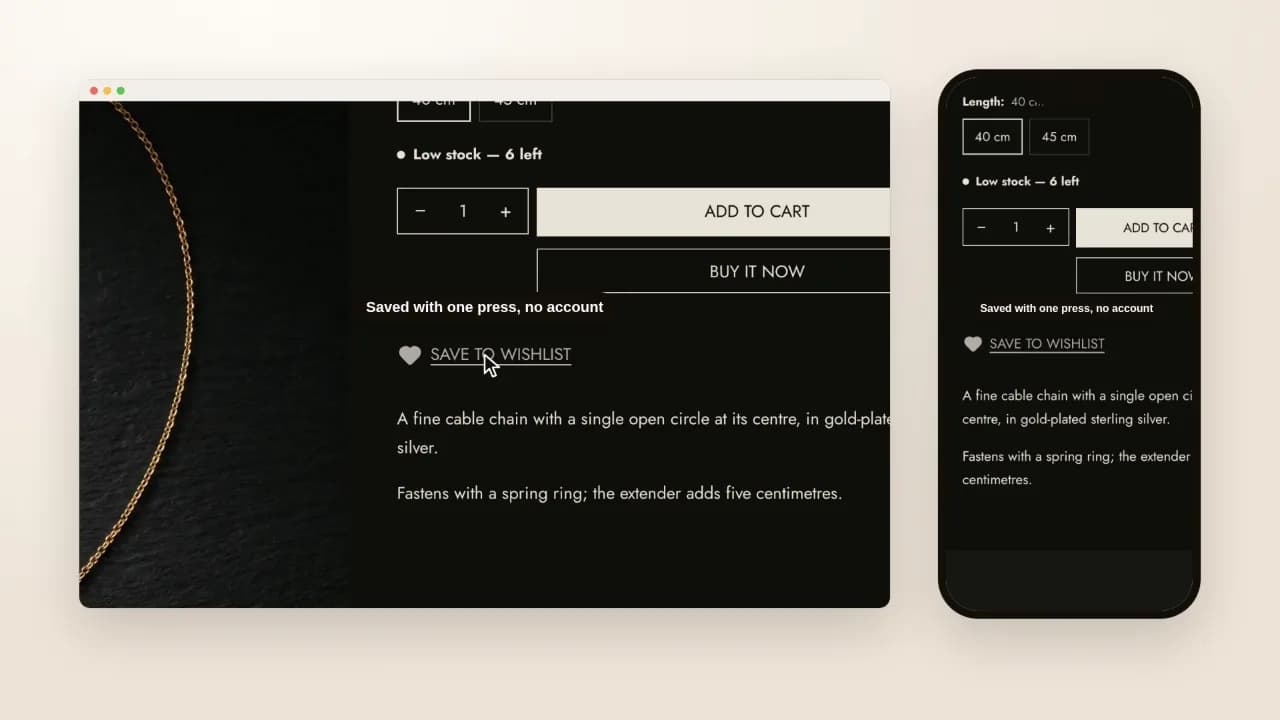
That is the whole mechanism, and it is why there is nothing to set up. The list is kept in the shopper's browser. There is no account to make, no sign-in, no app and no server between the heart and the page.
What keeping it on the device means
- It does not follow the shopper. A piece saved on a phone is not on their laptop, and clearing the browser's data clears the list.
- It never reaches you. You cannot see what customers saved; nobody can, because it is not sent anywhere.
- It does not go stale. The page lists only the saved products the store still has, so a piece you delete or unpublish drops out.
- It needs JavaScript. Without it the hearts stay hidden and the wishlist page shows its note — a heart that could not save anything would be worse than none.
What Shopify does without a theme
Shoppers who use Shopify's Shop app can save favorite products there, group them into collections they can share, and turn on push notifications for a price drop or a restock. Merchants cannot see what a customer saves in it (Shopify Help Center, read 21 October 2026). It lives in the Shop app, not on your store's pages.
What still needs an app
- A list that follows a signed-in customer from one device to another.
- Sharing a list with someone else.
- Emails when a saved product drops in price or comes back in stock, and a report of what customers save.
If you need one of those, a wishlist app is what you pay for. If a shopper only needs to come back to a piece, the theme does it.
Which themes have it
Hullara Editorial, in Pro — made for jewellery, watches and leather goods, where a shopper often decides over several visits. It ships the heart on every card, the Save to wishlist button on the product page and a wishlist page template.